


|
|
|
Our sponsors make financial contributions toward the costs of publishing Linux Gazette. If you would like to become a sponsor of LG, e-mail us at sponsor@ssc.com.
TWDT 1 (text)
TWDT 2 (HTML)
are files containing the entire issue: one in text format, one in HTML.
They are provided
strictly as a way to save the contents as one file for later printing in
the format of your choice;
there is no guarantee of working links in the HTML version.
Got any great ideas for improvements! Send your comments, criticisms, suggestions and ideas.
This page written and maintained by the Editor of Linux Gazette, gazette@ssc.com
Write the Gazette at gazette@ssc.com
|
Contents: |
 Date: Mon, 25 Aug 1997 15:02:14 -0700
From: cooldude cooldude@digitalcave.com
Subject: how do
how do i setup a linux server from scratch?
my freind has the t1 connection and im gonna admin it with his ermission
need ta know A. S.A.P.
=)
thanks
Date: Mon, 1 Sep 97 18:59:51 UT
From: Richard Wang rzlw1@classic.msn.com
Hi,
I have just set up a system for RedHat Linux, but I am finding getting real
support for
this system is very difficult. In fact, I cannot even setup my webpage via
SLIP from
the manuals I have. Redhat seems to go against it'scompetitor Caldera, and I
am
finding it hard to find the right manuals and guides for this system.
Do you have an online help person, who I can log to ?
Looking forward to your reply,
Richard Wang
Cambridge
United Kingdom
Date: Wed, 17 Sep 1997 19:49:55 -0700
From: Garry Jackson gjackson@home.com
Subject: Linux Problem.
I'm a linux newbie and I'm having major problems. I have a monitor that is kapible of 800X600 and I don't know anything else about it. I Also have a Trio 32/64. I cannot get Xwindows to go so what should I do.
Also I'm have a problem with my SB16 PNP and I can't get that to work and I can't get a Supra 28.9 PnP and a SN-3200 witch is a NE-200 clone if you could give me any tips on getting this stuff work It would be thanked.
Garry Jackson
Date: Wed, 3 Sep 1997 19:28:20 -0400
From: Prow Prowlyr@mindspring.com
Subject: Just some really basic help please.
I want to learn about unix but really dont know where to start. Can I get a free version somewhere to get me started? Do you know of a good Unix for dummies site that might help? Would greatly appreciate any reply via e-mail. Thanx in advance.
Date: Tue, 09 Sep 1997 00:49:50 +0200
From: Michael Stumpf ms@astat.de
Subject: Linux Kernel
I'm searching information about the status of the current kernel (release and/or developer). Do you have a web-address from an up-to-date site ? I used to look at "http://www.linuxhq.com" for this, but it seems that it is forever down.
tia
Michael
Date: Sat, 27 Sep 1997 11:02:04 -0400
From: Dave Runnels
drunnels@panix.com
Subject: 3com509b problems
I recently added a 3com509b Ethernet card to my Win95/Linux machine. I run the machine in PnP mode and the RedHat 4.2 install process won't recognize the card. RedHat's solution was to disable PnP for the machine. While this might be fine for Linux, I am forced to use Win95 for a number of things and turning off PnP (which works great for me on Win95) will be a real pain in the ass.
Is there a way I might have my cake and eat it too? I do know which IRQ the card is being assigned to.
Thanks, Dave
Date: Mon, 22 Sep 1997 10:06:04 +0200
From: Erwin Penders ependers@cobweb.nl
Subject: email only
Hi,
My name is Erwin Penders an i'm working for a local ISP in the Netherlands. I don't know if i send this mail to the right place, but i have a question about a Linux problem. I want to know how to set up an email-only account (so you can call the ISP, make a connection and send/receive email) without the possiblity for WWW, Telnet etc. The main problem is that i don't know how to set up the connection (the normal accounts get a /etc/ppp/ppplogin).... . .
Can anybody help me with this problem !?
Thanks,
Erwin Penders
(CobWeb)
Date: Sat, 20 Sep 1997 22:00:38 +0200
From: Richard Torkar
richard.torkar@goteborg.mail.telia.com
Subject: Software for IDE cd-r?
First of all Thanks for a great e-zine!
And then to my question... (You didn't really think that I wrote to you just to be friendly did you? ;-)
Is there any software written for IDE cd-r for example Mitsumi CR2600TE?
I found two programs; Xcdroast and CDRecord for Linux, but unfortunately they don't support IDE cd-r :-(
I haven't found anything regarding this problem and I've used darned near all search tools on the net... Any answer would be appreciated. If the answer is no, can I solve this problem somehow?
Regards,
Richard Torkar from the lovely land of ice beers .. ;-)
Date: Thu, 18 Sep 1997 16:03:04 -0400 (EDT)
From: Eric Maude
sabre2@mindspring.com
Subject: Redhat Linux 4.3 Installation Help
I am trying to install Redhat Linux 4.3 on a Windows 95 (not OSR 2) machine. I do want to set this machine up as dual boot but that's not really my problem. I have been totally unable to set up Linux because I am unable to set up the Non-MS DOS partition that Linux requires. I am pretty new to Linux. I would appreciate anyone that could give me detailed step by step instructions on how I go about setting up Redhat Linux. I would call Redhat directly but I am at work during their operating hours and not near the machine I need help with this! Please, somebody help me out!!
Date: Fri, 29 Aug 1997 11:02:39 -0300
From: Mario Storti mstorti@minerva.unl.edu.ar
Subject: acknowledge to GNU software
(Sorry if this is off-topic)
From now on I will put a mention to the GNU (and free in general) software I make use in the "acknowledgment" section of my (scientific) papers. I suggest to do the same to all those who are working on scientific applications. Since Linux is getting stronger every day in the scientific community, this could represent an important support, specially when requesting funding. Even better would be to make a database with all these "acknowledgments" in a Web site or something similar. Do anyone know of something like this that is already working? Any comments?
Mario
Date: Sun, 07 Sep 1997 23:58:16 -0500
From: mike shimanski mshiman@xnet.com
Subject: Fun
I just discovered Linux in July and am totally pleased. After years of Dos, Win 3.1, OS/2 and Win95, ( I won't discuss my experience with Apple), I think I found an operating system I can believe in.I cannot make this thing crash!
The Linux Gazette has been a rich source of information and makes being a newbe a great deal easier.I want to thank you for the time and effort you put into this publication. It has made my induction into the Linux world a lot easier.
Did I mention I am having way too much fun exploring this operating system? Am I wierd or what?
Again, thanks for a great resource.
Mike Shimanski
Date: Sat, 06 Sep 1997 18:01:52 -0700
From: George Smith
gbs@swdc.stratus.com
Subject: Issue 21
THANKS! Thanks! Thank You!
Issue 21 was great! I loved it! I most appreciate the ability to download it to local disk and read it without my network connection being live and with the speed of a local disk. Please keep offering this feature - I wish everyone did. BTW, I am a subscriber to the Linux Journel from issue 1 and enjoy it immensely also.
Thanks again.
Date: Wed, 03 Sep 1997 19:34:29 -0500
From: Mark C. Zolton trustno1@kansas.net
Subject: Thank you Linux Gazzette
Hello There,
I just wanted to thank you for producing such a wonderful publication. As a relative newbie to Linux, I have found your magazine of immense use in answering the plethora of questions I have. Keep up the good work. Maybe oneday I'll be experienced enough to write for you.
Mark
Date: Mon, 1 Sep 1997 00:09:53 -0500 (CDT)
From: Arnold Hennig amjh@qns.com
Subject: Response to req. for help - defrag
I saw the request for information about the (lack of) need for defragging in issue 20, and have just been studying the disk layout a bit anyway.
Hope the following is helpful:
In reference to the question titled "Disk defrag?" in issue 20 of the Linux Gazette:
I had the same question in the back of my mind once I finally Linux up and running after some years of running a DOS based computer. After I was asked the same question by someone else, I poked around a bit and did find a defrag utility buried someplace on sunsite. The documentation pretty much indicated that with the ext2 file system it is rarely necessary to use the utility (he wrote it prior to the general use of ext2fs). He gave a bit of an explanation and I found some additional information the other day following links that (I believe) originated in the Gazette.
Basically, DOS does not keep a map of the disk usage in memory, and each new write simply starts from the next available free cluster (block), writes till it gets to the end of the free space and then jumps to the next free space and continues. After it reaches the end of the disk or at the next reboot, the "next free cluster" becomes the "first free cluster", which is probably where something was deleted, and may or may be an appropriate amount of free space for the next write. There is no planning ahead for either using appropriate sized available spaces or for clustering related files together. The result is that the use of space on the disk gets fragmented and disorganized rather quickly, and the defrag utilities are a necessary remedy.
In fairness to DOS, it was originally written for a computer with precious little memory, and this method of allocating write locations didn't strain the resources much.
The mounting requirement under unices allows the kernel to keep a map of the disk usage and allocate disk space more intelligently. The Ext2 filesystem allocates writes in "groups" spread across the area of the disk, and allocates files in the same group as the directory to which they belong. This way the disk optimization is done as the files are written to disk, and a separate utility is not needed to accomplish it.
Your other probable source of problems is unanticipated shutdowns (power went out, Dosemu froze the console and you don't have a way to dial in through the modem to kill it - it kills clean, btw ;-), or your one year old niece discovered the reset button). This will tend to cause lost cluster type problems with the files you had open at the time, but the startup scripts almost universally run fsck, which will fix these problems. You WILL notice the difference in the startup time when you have had an improper shutdown.
So, yes, you may sleep with peace of mind in this respect.
Arnold M.J. Hennig
Date: Wed, 3 Sep 1997 16:19:17 -0600 (MDT)
From: Mark Midgley midgley@pht.com
Subject: Commercial Distribution
Mo'Linux, a monthly Linux distribution produced by Pacific HiTech, Inc. includes current Linux Gazette issues. They are copied in whole, according to the copyright notice.
Mark
Date: Thu, 11 Sep 1997 12:26:53 -0400
From: Brian Connors connorbd@bc.edu
Subject: Linux and Mac worlds vs Microsoft?
Michael Hammel made an interesting comment in the September letters column about aligning with Mac users against Microsoft. The situation's not nearly as rosy as all that, what with Steve Jobs' latest activity in the Mac world. As a Mac diehard, I'm facing the prospect of a good platform being wiped out by its own creator, whether it's really his attention or not. IMHO the Linux world should be pushing for things like cheap RISC hardware (which IBM and Motorola have but aren't pushing) and support from companies like Adobe. I know that in my case, if the MacOS is robbed of a future, I won't be turning to Windows for anything but games...
Date: Thu, 11 Sep 1997 22:59:19 +0900
From: mark stuart
mark@www.hotmail.com
Subject: article ideas
why not an issue on linux on sparc and alpha(especially for scientific applications) and also how about an issue on SMP with linux?
Date: Sat, 27 Sep 1997 01:57:09 -0700 (PDT)
From: Ian Justman ianj@chocobo.org
Except for the SNA server, all I've got to say about Linux with all the necessary software is: "Eat your heart out, BackOffice!"
--Ian.
Date: Wed, 24 Sep 1997 21:49:28 -0700
From: Matt Easton
measton@lausd.k12.ca.us
Subject: Thanks
Thank you for Linux Gazette. I learn a lot there; and also feel more optimistic about things not Linux after visiting.
Date: Fri, 26 Sep 1997 13:24:29 -0500
From: "Samuel Gonzalez, Jr." buzz@pdq.net
Subject: Excellent Job
Excellent job !!!
Sam
![[ TABLE OF
CONTENTS ]](../gx/indexnew.gif)
![[ FRONT
PAGE ]](../gx/homenew.gif)

 More 2¢ Tips!
 Netscape and Seyon questions
Date: Mon, 8 Sep 1997 11:23:51 -0600 (MDT)
From: "Michael J. Hammel" mjhammel@long.emass.com
Lynn Danielson asked:
I downloaded Netscape Communicator just a few weeks ago from the Netscape site. I'm not sure older versions of Netscape are still available. I'm probably wrong, but I was under the impression that only the most current beta versions were freely available.
Answer:
A quick search through Alta-Vista for Netscape mirrors showed a couple of different listing for mirror sites. I perused a few and found most either didn't have anything or had non-English versions, etc. One site I did find with all the appropriate pieces is:
ftp://ftp.adelaide.edu.au/pub/WWW/Netscape/pub/
Its a long way to go to get it (Australia), but thats all I could find. If you want to go directly to the latest (4.03b8) Communicator directory, try:
ftp://ftp.adelaide.edu.au/pub/WWW/Netscape/pub/communicator/4.03/4.03b8/english/unix/
I did notice once while trying to download from Netscape that older versions were available, although I didn't try to download them. I noticed this while looking for the latest download of Communicator through their web sites. Can't remember how I found that, though.
The 3.x version is available commercially from Caldera. I expect that the 4.x versions will be as well, though I don't know if Caldera keeps the beta versions on their anonymous ftp sites.
BTW, the Page Composer is pretty slick, although it has no interface for doing Javascript. It has a few bugs, but its the best WYSIWYG interface for HTML composition on Linux that I've seen. Its better than Applix's HTML Editor, although that one does allow exporting to non-HTML stuff. Collabra Discussions sucks. The old news reader was better at most things. I'd still like to be able to mark a newsgroup read up to a certain point instead of the all-or-nothing bit.
For anyone who is interested - 4.x now supports CSS (Cascading Style Sheets) and layers. Both of these are *very* cool. They are the future of Web design and, IMHO, a very good way to create Multimedia applications for distribution on CDs. One of C|Net's web pages (I think) has some info on these items, including a demo of layers (moves an image all over the screen *over* the underlying text - way cool). The only C|Net URL I ever remember is www.news.com, but you can get to the rest of their sites from there.
-- Michael J. Hammel
Keeping track of tips
Date: Tue, 26 Aug 1997 16:29:13 +0200
From: Ivo Saviane saviane@astrpd.pd.astro.it
Dear LG,
it always happens to me that I spend a lot of time finding out how to do a certain thing under Linux/Unix, and then I forget it. The next time I need that information I will start all the `find . ...', `grep xxx *' process again and waste the same amount of time!
To me, the best way to avoid that is to send a mail to myself telling how to do that particular operation. But mail folders get messy and, moreover, are not useful to other users who might need that same information.
Finally I found something that contributes solving this problem. I set up a dummy user who reads his mail and puts it in www readable form. Now it is easy for me to send a mail to news@machine as soon as I learn something, and be sure that I will be able to find that information again just clicking on the appropriate link. It would also be easy to set up a grep script and link it to the same page.
The only warning is to put a meaningful `subject: ' to the mail, since this string will be written besides the link.
I am presently not aware of something similar. At least, not that simple. It you know, let me know too!
If you want to see how this works, visit
http://obelix.pd.astro.it/~news
A quick description of the basic operations needed is given below.
--------------------------------------------------------------------------
The following lines briefly describe how to set up the light news server.
1. Create a new user named `news'
2. Login as news and create the directories ~/public_html and ~/public_html/folders (I assume that your http server is configured so that `http://machine/~user' will point to `public_html' in the user's $HOME).
3. Put the wmanager.sh script in the $HOME/bin directory. The script follows the main body of this message as attachment [1]. The script does work under bash.
The relevant variables are grouped at the beginning of the script. These should be changed according to the machine/user setup
4. The script uses splitmail.c in order to break the mail file in sub-folders The binary file should be put in the $HOME/bin dir. See attachment [2].
5. Finally, add a line in the `news' user crontab, like the following
00 * * * * /news_bin_dir/wmanager.sh
where `news_bin_dir' stands for $HOME/bin. In this case the mail will be checked once every hour.
---------------------------------- attachment [1]
#!/bin/sh

# wmanager.sh

# Updates the www news page reading the user's mails
# (c) 1997 Ivo Saviane

# requires splitmail (attachment [2])

## --- environment setup

BIN=/home/obelnews/bin                  # contains all the executables
MDIR=/usr/spool/mail                    # mail files directory
USR=news                                # user's login name
MFOLDER=$MDIR/$USR                      # user's mail file
MYFNAME=`date +%y~%m~%d~%H:%M:%S.fld`   # filename for mail storage under www

FLD=folders                             # final dir root name
PUB=public_html                         # httpd declared public directory
PUBDIR=$HOME/$PUB/$FLD
MYFOLDER=$PUBDIR/$MYFNAME
INDEX=$HOME/$PUB/index.html

## --- determines the mailfile size

MSIZE=`ls -l $MFOLDER | awk '{print $5}'`

## --- if new mail arrived goes on; otherwise does nothing

if [ $MSIZE != "0" ]; then

## --- writes the header of index.html in the pub dir

 echo "<html><head><title> News! </title></head>" > $INDEX
 echo "<h2> Internal news archive </h2> <p><p>" >> $INDEX
 echo "Last update: <i>`date`</i> <hr>" >> $INDEX

## --- breaks the mail file in single folders; splitmail.c must be compiled

 $BIN/splitmail $MFOLDER > $MFOLDER

## --- each folder is copied in the folder dir, under the pub dir,
##     and given an unique name

 for f in $MFOLDER.*; do\
   NR=`echo $f | cut -d. -f2`;\
   MYFNAME=`date +%y~%m~%d~%H:%M:%S.$NR.fld`;\
   MYFOLDER=$PUBDIR/$MYFNAME;\
   mv $f $MYFOLDER;\
 done

## --- prepares the mailfile for future messages

 rm $MFOLDER
 touch $MFOLDER

## --- Now creates the body of the www index page, searching the folders
##     dir

 for f in `ls $PUBDIR/* | grep -v index`; do\
   htname=`echo $f | cut -d/ -f5,6`;\
   rfname=`echo $f | cut -d/ -f6 | sed 's/.fld//g'`;\
   echo \<a href\=\"$htname\"\> $rfname\<\/a\> >> $INDEX;\
   echo \<strong\> >> $INDEX;\
   grep "Subject:" $f | head -1  >> $INDEX;\
   echo \</strong\> >> $INDEX;\
   echo \<br\> >> $INDEX;\
 done

  echo "<hr>End of archive" >> $INDEX
  echo "</html>" >> $INDEX
fi
---- attachment [2]
/******************************************************************************
   Reads stdin. Assuming that this has a mailfile format, it breaks the input
   in single messages. A filestem must be given as argument, and single
   messages will be written as  filestem.1 filestem.2 etc.
   (c) 1997 I.Saviane

******************************************************************************/

#define NMAX 256
/*****************************************************************************/

#include <stdio.h>
/*****************************************************************************/

/*****************************************************************************/

/**************************  MAIN **************************************/

int main(int argc, char *argv[]) {

  FILE *fp;
  char mline[NMAX], mname[NMAX];
  int nmail=0, open;

  if(argc < 2) {
    fprintf(stderr, "splitmail: no input filestem");
    return -1;
  }

  fp = fopen("/tmp/xx", "w");
  while(fgets(mline, NMAX, stdin) != NULL) {

    open = IsFrom(mline);
    if(open==1) {

      fclose(fp);
      nmail++;
      sprintf(mname, "%s.%d", argv[1], nmail);
      fp = fopen(mname, "w");
      open = 0;
    }
    fprintf(fp, "%s", mline);
  }
  fclose(fp);
  system("rm /tmp/xx");
  return 1;
}


/*****************************************************************************/

int IsFrom(char *s) {

  if(s[0]=='F' && s[1]=='r' && s[2]=='o' && s[3]=='m' && s[4]==' ') {

    return 1;
  } else {

    return 0;
  }
}
Displaying File Tree
Date: Tue, 26 Aug 1997 16:40:43 -0400 (EDT)
From: Scott K. Ellis storm@gate.net
A nice tool for displaying a graphic tree of files or directories in your filesystem can be found at your local sunsite mirror under /pub/Linux/utils/file/tree-1.2.tgz. It is also included as the package tree included in the Debian distribution.
Making Changing X video modes easier
Date: Thu, 28 Aug 1997 20:29:59 +0100
From: Jo Whitby pandore@globalnet.co.uk
Hi
In issue 20 of the Linux gazette there was a letter from Greg Roelofs on changing video modes in X - this was something I had tried and had found changing colour depths awkward, and didn't know how to start multiple versions of X.
I also found the syntax of the commands difficult to remember, so here's what I did.
First I created 2 files in /usr/local/bin called x8 and x16 for the colour depths that I use, and placed the command in them -
for x8
#!/bin/sh
startx -- :$* -bpp 8 &
and for x16
#!/bin/sh
startx -- :$* -bpp 16 &
then I made them executable -
chmod -c 755 /usr/local/bin/x8
chmod -c 755 /usr/local/bin/x16
now I simply issue the command x8 or x16 for the first instance of X and x8 1 or x16 1 for the next and so on, this I find much easer to remember:-) An addition I would like to make would be to check which X servers are running and to increment the numbers automatically, but as I have only been running Linux for around 6 months my script writing is extremely limited, I must invest in a book on the subject.
Linux is a fantastic OS, now I've tried it I could not go back to Windoze and hate having to turn my Linux box into a wooden doze box just to run the couple of progs that I can't live without (Quicken 4 and a lottery checking prog), so if anyone knows of a good alternative to these please let me know, the sooner doze is gone for good the better - then Linux can have the other 511Mb of space doze95 is hogging!
ps. Linux Gazette is just brilliant, I've been reading all the back issues, nearly caught up now - only been on the net for 3 months. I hope to be able to contribute something a little more useful to the Gazette in the future, when my knowledge is a little better:-)
keep up the good work.
Tree Program
Date: Mon, 01 Sep 1997 03:28:57 -0500
From: Ian Beth13@mail.utexas.edu
Try this instead of the tree shell-script mentioned earlier:
--------- Cut here --------
#include <stdlib.h>
#include <stdio.h>

#include <sys/stat.h>
#include <unistd.h>

#include <sys/types.h>
#include <dirent.h>


// This is cool for ext2.
#define MAXLEN 256
#define maxdepth 4096

struct dnode {
 dnode *sister;
 char name[MAXLEN];
};

const char *look;
const char *l_ascii="|+`-";
const char l_ibm[5]={179,195,192,196,0};

int total;

char map[maxdepth];

void generate_header(int level) {
 int i;
 for (i=0;i<level;i++) printf(" %c ",(map[i]?look[0]:32));
 printf (" %c%c ",(map[level]?look[1]:look[2]),look[3]);
}

dnode* reverselist(dnode *last) {
 dnode *first,*current;
 first=NULL;
 current=last;

 // Put it back in order:
 // Pre: last==current, first==NULL, current points to backwards linked
list
 while (current != NULL) {
  last=current->sister;
  current->sister=first;
  first=current;
  current=last;
 }

 return first;
}

void buildtree(int level) {
 dnode *first,*current,*last;
 first=current=last=NULL;
 char *cwd;
 struct stat st;

 if (level>=maxdepth) return;

 // This is LINUX SPECIFIC: (ie it may not work on other platforms)
 cwd=getcwd(NULL,maxdepth);
 if (cwd==NULL) return;

 // Get (backwards) Dirlist:
 DIR *dir;
 dirent *de;

 dir=opendir(cwd);
 if (dir==NULL) return;

 while ((de=readdir(dir))) {
  // use de->d_name for the filename
  if (lstat(de->d_name,&st) != 0) continue; // ie if not success go on.
  if (!S_ISDIR(st.st_mode)) continue; // if not dir go on.
  if (!(strcmp(".",de->d_name) && strcmp("..",de->d_name))) continue; //
skip ./
..
  current=new dnode;
  current->sister=last;
  strcpy(current->name,de->d_name);
  last=current;
 }

 closedir(dir);

 first=reverselist(last);

 // go through each printing names and subtrees

 while (first != NULL) {
  map[level]=(first->sister != NULL);
  generate_header(level);
  puts(first->name);
  total++;
  // consider recursion here....
  if (chdir (first->name) == 0) {
   buildtree(level+1);
   if (chdir (cwd) != 0) return;
  }
 current=first->sister;
  delete first;
  first=current;
 }
 free (cwd);
}

void tree() {
 char *cwd;
 cwd=getcwd(NULL,maxdepth);
 if (cwd==NULL) return;
 printf("Tree of %s:\n\n",cwd);
 free (cwd);
 total=0;
 buildtree(0);
 printf("\nTotal directories = %d\n",total);
}

void usage() {
 printf("usage: tree {-[agiv]} {dirname}\n\n");
 printf("Tree version 1.0 - Copyright 1997 by Brooke Kjos
<beth13@mail.utexas.ed
u>\n");
 printf("This program is covered by the Gnu General Public License
version 2.0\n
");
 printf("or later (copyleft). Distribution and use permitted as long
as\n");
 printf("source code accompanies all executables and no additional\n");
 printf("restrictions are applied\n");
 printf("\n\n Options:\n\t-a use ascii for drawings\n");
 printf("\t-[ig] use IBM(tm) graphics characters\n");
 printf("\t-v Show version number and exit successfully\n");
};

void main (int argc,char ** argv)  {
 look=l_ascii;
 int i=1;
 if (argc>1) {
  if (argv[1][0]=='-') {
   switch ((argv[1])[1]) {
    case 'i':
    case 'I':
    case 'g':
    case 'G':
    look = l_ibm;
    break;
    case 'a':
    case 'A':
    look = l_ascii;
    break;
    case 'v':
    case 'V':
    usage();
    exit(0);
    default:
    printf ("Unknown option: %s\n\n",argv[1]);
    usage();
    exit(1);
   } // switch
   i=2;
  } // if2
 } // if1
 if (argc > i) {
  char *cwd;
  cwd=getcwd(NULL,maxdepth);
  if (cwd==NULL) {
   printf("Failed to getcwd:\n");
   perror("getcwd");
   exit(1);
  }
  for (;i>argc;i++) {
   if (chdir(argv[i]) == 0) {
    tree();
    if (chdir(cwd) != 0) {
     printf("Failed to chdir to cwd\n");
     exit(1);
    }
   }
   else printf("Failed to chdir to %s\n\n",argv[i]);
  } // for
  free (cwd);
 } else tree();
}Call this tree.cc and run gcc -O2 tree.cc -o /usr/local/bin/tree.
Managing an Entire Project
Date: Tue, 26 Aug 1997 16:44:06 -0400 (EDT)
From: Scott K. Ellis storm@gate.net
While RCS is useful for managing one or a small set of files, CVS is a wrapper around RCS that allows you to easily keep track of revisions across an entire project.
Finding what you want with find
Date: Tue, 2 Sep 1997 21:53:41 -0500 (CDT)
From: David Nelson dnelson@psa.pencom.com
While the find . -type f -exec grep "string" {} \; works, it does not tell you what file it found the string in. Try using find . -type f -exec grep "string" /dev/null {} \; instead.
David /\/elson
Minicom kermit help
Date: Wed, 10 Sep 1997 12:21:55 -0400 (EDT)
From: "Donald R. Harter Jr." ah230@traverse.lib.mi.us
With minicom, ckermit was hanging up the phone line after I exited it to return to minicom. I was able to determine a quick fix for this. In file ckutio.c comment out (/* */) line 2119 which has tthang() in it. tthang hangs up the line. I don't know why ckermit thought that it should hang up the line.
Donald Harter Jr.
Postscript printing
Date: Sun, 7 Sep 1997 15:12:17 +0200 (MET DST)
From: Roland Smith
mit06@ibm.net
Regarding your question in the Linux Gazette, there is a program that can interpret postscript for different printers. It's called Ghostscript.
The smartest thing to do is to encapsulate it in a shell-script and then call this script from printcap.
----- Ghostscript shell script -------

#!/bin/sh
#
# pslj       This shell script is called as an input filter for the
#            HP LaserJet 5L printer as a PostScript printer
#
# Version:   /usr/local/bin/pslj  1.0
#
# Author:     R.F. Smith <rsmit06@ibm.net>

# Run GhostScript, which runs quietly at a resolution
# of 600 dpi, outputs for the laserjet 4, in safe mode, without pausing
# at page breaks, writing and reading from standard input/output
/usr/bin/gs -q -r600 -sDEVICE=ljet4 -dSAFER -dNOPAUSE -sOutputFile=- -
------- Ghostscript shell script ------
You should only have to change the resolution -r and device -sDEVICE options to something more suitable to your printer. See gs -? for a list of supported devices. I'd suggest you try the cdeskjet or djet500c devices. Do a chmod 755 <scriptname>, and copy it to /usr/local/bin as root.
Next you should add a Postscript printer to your /etc/printcap file. Edit this file as root.
-------- printcap excerpt -----------

ps|HP LaserJet 5L as PostScript:\
    :lp=/dev/lp1:\
    :sd=/var/spool/lp1:\
    :mx#0:\
    :if=/usr/local/bin/pslj:sh

-------- printcap excerpt ------------
This is the definition of a printer called ps. It passes everything it should print through the pslj filter, which converts the postscript to something my Laserjet 5 can use.
To print Postscript, use lpr -Pps filename.
change this to reflect your script name.
Hope this helps!
Roland
Realaudio without X-windowsThis is more of a pointer than a tip, but your readers might want to check out traplayer on sunsite, it lets you play realaudio without starting up an X server on your screen. Kinda useful if you don't like to use memory-hog browsers just to listen to realaudio.
The file is available at sunsite.unc.edu/pub/Linux in the Incoming directory (until it gets moved), and then who knows where. It's called traplayer-0.5.tar.gz.
Connecting to dynamic IP via ethernet in LG 21 Denny wrote:
"Hello. I want to connect my Linux box to our ethernet ring here at my company. The problem is that they(we) use dynamic IP adresses, and I don't know how to get an address."
There is a program called bootpc (a bootp client for linux). From the LSM entry (maybe there is a newer version now):
Title:          Linux Bootp Client
Version:        V0.50
Entered-date:   1996-Apr-16
Description:    This is a boot protocol client used to grab the machines
                ip number, set up DNS nameservers and other useful information.
Keywords:       bootp bootpc net util
Author:         ceh@eng.cam.ac.uk (Charles Hawkins)
Maintained-by:  J.S.Peatfield@damtp.cam.ac.uk (Jon Peatfield)
Primary-site:   ftp.damtp.cam.ac.uk:/pub/linux/bootpc/bootpc.v050.tgz
Alternate-site:
sunsite.unc.edu:/pub/Linux/system/Network/admin/bootpc.v050.tgz
Platform:       You need a BOOTP server too.
Copying-policy: This code is provided as-is, with no warrenty, share and
enjoy.
The package inludes a shell script to set up the ethernet card, send the bootp request, receive the answer and set up everything needed.
I hope this helps
Gustl
Running commands from X w/out XTermI often found myself running XTerm just to type a single shell commmand. After a while, you just wish you could run a single command without even accessing a menu. To solve this problem, I wrote exec. As the program name would emply, the exec program mearly prompts (in X11) for a command, and replaces its own process with the shell-orriented command you type in. Exec can also browse files, and insert the path in the text box, incase you need a file in your command line. Pretty simple huh? Exec (of course!) is GPL, and can be downloaded at http://www.KenAndTed.com/software/exec/ -- I would appreciate it if someone would modify my source to do more! =)
Ascii problems with FTP
Andrew, I read your letter to the Linux Gazzette in issue 19. I don't
know if you have an answer yet, but here's my 2 bits...
If I understand correctly, you are using FTP under DOS to obtain Linux
scripts. Now, as you may know, the line terminators in text files are
different between Unix systems and DOS (and Apples, for that matter). I
suspect that what's happening is this: FTP is smart enough to know about
terminator differences between systems involved in an ascii mode
transfer and performs appropriate conversions silently and on the fly.
This give you extra ^M's on each line if you download the file in DOS
and then simply copy it (or use an NFS mount) to see it from Unix. I
suspect that if you use a binary tranfer (FTP> image) the file will
arrive intact for Linux use if it originates on a Unix server.
Hope this helps.
Carl Hohman
Red Hat QuestionsSignal 11 crashes are often caused by hardware problems. Check out the The Sig11 FAQ on: http://www.bitwizard.nl/sig11/
James Gilb

|
Contents: |
 BLINUX Documentation and Development Project
The purpose of The BLINUX Documentation and Development Project is to serve as a catalyst which will both spur and speed the development of software and documentation which will enable the blind user to run his or her own Linux workstation.
Their web site is at:
http://leb.net/blinux/
It contains information about documenting Linux for the Blind and Visually
Impaired, the BLINUX FTP Archive, and where to find Linux Software for
the Blind User.
Linux "class" via the InternetThere is a Linux "class" being offered on the internet! It's a beginners class that's using Matt Welsh's "Running Linux" as the textbook. Lessons are posted to the site, with links to Linux related urls and reading from the text as additional assignments. I just checked out the first lesson (history of Linux), looks pretty good.
If anyone's interested (it's free), the url is: http://www.vu.org/channel25/today/
WindowMaker and AfterStep themesGive your X-windows a whole new look with one of the WindowMaker or AfterStep themes. There are almost 30 different themes for the WindowMaker and another 30 for AfterStep window manager available at: http://x.unicom.net/themes
TCD 1.0: New curses-based CD player
TCD is a new curses based CD player for Linux. Here are some of it's distinct features:
* Nice-looking color (if supported) curses interface.
* Simple, sensible, one-keystroke control.
(No more mapping little icons to your keypad!) :)
* Repeat track, continuous play control.
* Track name database.
* Uses little CPU time while running.
It should still be at
ftp://sunsite.unc.edu/pub/Linux/Incoming/tcd-1.0.tar.gz
But by the time you read this is may have moved to /pub/Linux/apps/sound/cdrom/curses/
urlmon -- The URL Monitor
urlmon reports changes to web sites (and ftp sites, too).
urlmon makes a connection to a web site and records the last_modified time for that url. Upon subsequent calls, it will check the url again, this time comparing the information to the previously recorded times. Since the last_modified data is not required to be given by HTTP (it's optional) and is non-existent for ftp, urlmon will then take an MD5 checksum.
It's real utilitity is evident when running it periodically (from cron, for example) in batch mode, so as to keep tabs on many different web pages, reporting on those that have recently changed.
New with 2.1, it can monitor muliple URLs in parallel. It also has user settable proxy server ability, and user settable timeout lengths. A few algorithm improvements have been made.
It can be found at
http://sunsite.unc.edu/pub/Linux/apps/www/mirroring/urlmon-21.tgz
http://web.syr.edu/~jdimpson/proj/urlmon-21.tgz
ftp://camelot.syr.edu/pub/web/urlmon-21.tgz
urlmon requires perl 5, the LWP perl modules, the MD5 module, all available at any CPAN archive http://www.perl.com/perl/CPAN/
New Netscape Version for Linux
Netscape Communicator 4.03 (Standard and Professional editions) is now available for Linux.
To download it, go to http://www.netscape.com
TeamWave Workplace 2.0TeamWave Workplace is an Internet groupware product that lets you work together with colleagues in shared Internet rooms using Windows, Macintosh or Unix platforms.
TeamWave's rooms are customized with shared tools like whiteboards, chat, calendars, bulletin boards, documents, brainstorming and voting, so you can fit the rooms to your team's tasks. Team members can work together in rooms any-time, whether meeting in real-time or leaving information for others to pick up or add to later.
The support for any-time collaboration and easy customization, combined with its rich cross-platform support and modest infrastructure needs, make TeamWave Workplace an ideal communication solution for telecommuters, branch offices, business teams, road warriors -- any teams whose members sometimes work apart.
System Requirements: TeamWave Workplace runs on both Windows 95/NT and Macintosh platforms, as well as SunOS, Solaris, SGI, AIX and Linux. A network connection (LAN or modem) is also required.
Availability and Pricing
TeamWave Workplace 2.0 is available now. A demonstration version may be downloaded from TeamWave's web site at http://www.teamwave.com/. A demo license key, necessary to activate the software, can also be requested from the web site.
Regular licenses are US$50 per team member, with quantity discounts available. Licenses can be purchased via postal mail, fax, email or secure web server. We are making free licenses available for qualified educational use. Please see our web site for additional information.
 The Answer Guy
 Faxing and Dialing Out on the Same Line
From: Carlos Costa Portela c.c.portela@ieee.org
Hello, Linux Gazette!
First of all, let me say you that the Gazette is EXCELLENT! Well, you
probably know that, but I must say it!.
I have the next problem:
I am using the fax program efax, by Ed Casas. Really good!. When my
system starts, I put the fax in answer mode:
This is the entry in the inittab file: rf:3:respawn:/bin/sh /usr/bin/fax answer
 Another option here would be 'mgetty' -- which provides
dial-in (terminal, PPP, etc) and fax support on the same
line. Allegedly the 'vgetty' extension to 'mgetty' will
even allow limited "voice" support on that same line
(although the only modem that's currently supported seems
to be certain Zyxel models -- none of the other modem
manufacturers seem to be willing to release the API's for
voice support!).
Another option here would be 'mgetty' -- which provides
dial-in (terminal, PPP, etc) and fax support on the same
line. Allegedly the 'vgetty' extension to 'mgetty' will
even allow limited "voice" support on that same line
(although the only modem that's currently supported seems
to be certain Zyxel models -- none of the other modem
manufacturers seem to be willing to release the API's for
voice support!).
But sometimes a day (once or twice) I need my modem to connect to my ISP
and, at least, read and send my mail!
Then there is an overlapping between one program -or command- and the other.
This is a very common situation. That's why Unix communications
programs support various sorts of "device locking."
The only trick is to make sure that all the programs on your system agree on the name, location, and type of lock files.
On a Linux box this is reasonably easy -- compile them all to use the /var/lock/ directory. The lock files will be of the form: LCK..$device (where $device is the base name of the modem device -- like 'ttyS0' or 'modem'). That takes care of the location.
My advice is to ignore everything you've heard about using "cuaXX" as the call out device and "ttySxx" as the dial-in device. I make a symlink from /dev/modem to the appropriate /dev/ttyS* node and use /dev/modem as the device name for EVERYTHING (pppd, chat, uucp, C-Kermit, minicom, efax, mgetty/sendfax, diald, EVERYTHING). Obviously that advice applies to situations where you only have one or two modems. If you're handling whole banks of modems (you're an ISP) than your situation is different (you probably don't allow much dial-out via these lines and would probably have one or more lines dedicated to fax). However, that handles the 'name' issue.
Finally there is the question of lock file "type." There are three common strategies in Unix for dealing with lock files. The first a refer to a "touch" -- the mere existence of any file by the correct name is a flag for all other processes to leave the device/resource alone. If a process dies and leaves a stale lock file -- there is not automatic recovery -- an administrator must manually remove the lock file. This limitation makes this the least useful and least common of the lockfile types.
With the other sorts of lock files the controlling process (the one creating the lock) writes its PID into the file. Any other process seeing the lock file then parses a 'ps' listing to determine the status of the process that locked the resource. If it's dead or non-existent (possibly even if it's a zombie) then the new process removes the "stale" lock file (usually with a message to that effect) and creates a new one.
Here the only question is: what format should the PID be written in? I prefer "text" (i.e. the PID is a string of ASCII digits -- like the printf("%d", int) would generate). Some programs might default to "binary" -- where the PID is written to the file in the same way that a program stores it in memory.
The advantage of text format lock files is that you can more easily write a wrapper script in perl, sh, or whatever -- to provide lock file support to a program that doesn't use the same sort of lock files you want. Another advantage is that the admin of a system can read it -- and use 'ps' or 'top' to check the state of the locking process manually (useful if a client program is overly timid about removing the lock file from a "zombie" for example).
The only other problem associated with device lock files involves the permissions of the /var/lock directory. The simple solution is to make it world writable. However I consider that to be poor administrative practice -- particularly on a multi-user or server system. You can't make this directory "sticky" (as you should with your /tmp/) unless you make all of your modem using programs SUID. If you did that, no program would be able to remove a lock file that was created by a different user -- stale or otherwise.
So, I make this directory group writable by the 'uucp' group and make all my modem using programs SGID 'uucp'. If you need finer grain support (for other programs that use the /var/lock directory) then you'd want to create more specific directories below /var/lock, and compile all of your programs to use those. On my main Red Hat (3.03) system all of the other programs that I've see use directories below /var/lock/ so only my modem programs really need write access. Obviously any root owned, or suid root or even suid 'bin' programs can also write to the /var/lock directory -- all we're doing is keeping out the "riff-raff" (like my personal shell account).
Obviously, this is not a solution:
Turn off the modem, and then turn on.
Kill the efax process.
Because the entry has a "respawn" keyword.
What is the best way to:
- inactivate the fax.
- connect to Internet.
- disconnect.
- activate the fax.
The best way is to avoid the problem. Configure or
compile efax to use a locking mechanism that's compatible
with your dial-out programs (or switch to 'mgetty' or some
other enhanced getty).
The 'mgetty' home page is at:
Mgetty+Sendfax Documentation Centre (Gert Doering) http://www.leo.org/~doering/mgetty/
... and some related resources are at:
ISP Resources - mgetty info (AutoPPP) http://www.buoy.com/isp/mgetty.html
Coastal Internet - ISP Info! http://www.buoy.com/isp/
Well, one solution is:
go to the /etc/inittab
comment the line
restart the system
Is there a better one?.
If you really had an insurmountable problem of this sort --
a program that just wouldn't co-exist with something that
you're respawning in your inittab (like some weird UPS
power daemon or data aquisition service) -- I'd solve it
using a new runlevel. The line where you're loading your
fax daemon process specifies that it runs in level 3
(the default "multi-user with networking" mode). So you
could just use the 'telinit 4' command to switch to the
(currently undefined or "custom") runlevel. This should
kill the fax process (and any getty's or xdm's that you
have configured for runlevel 3) and start any processes
that you define for runlevel 4.
Read the man page for inittab(5) (that is "the inittab page in section section 5 of the man tree") for details. I've always been mildly surprised that the SysV Init programmers didn't put in options for a full 9 runlevels (where 7, 8, and 9 would all be custom). However I've never seen a need for such elaborate handling -- so they likely didn't either.
Hope that clarifies the whole issue of lock files and resolving access concurrency issues. You can use similar programming techniques (even in shell scripts) to resolve similar problems with directory, file, or device locking.
-- Jim
Linux and the 286
From: tbickl@inreach.com tbickl@inreach.com
Hello,
I am taking a class at community college for introduction to Unix.
I was told I could download Linux, put it on the 286 machine I have,
and that it would function well enough to learn from.
You were told wrong.
Searching thru the downloadables, I have only seen versions that
will run on 386 or above, and I do not have a 386 machine available
to me right now.
Your observations are to be trusted more than the sources
of your rumors.
Do you know if and where I could find a version of Linux that would
suffice?
There is a project to produce an 8086 (and thus 286 compatible)
subset of the Linux kernel (ELK -- embeddable Linux kernel).
However it is probably not far enough along to be of interest
to you. More generally we can say that a kernel is not enough
-- there would be considerable work to porting a large enough
set of tools to the subset architecture.
Moving back a little bit from Linux specifically we can recommend a couple of Unix like OS' that did run on the 286. Of them, only Minix is still widely available. It is not free (in the sense of GPL or the BSD License) -- but is included with copies of Andrew Tanenbaum's seminal text book on _Operating_Systems_Design_and_Implementation_. You'll want the 2nd Edition.
The two other implementations of Unix that have run on 286 systems are Xenix (originally a Microsoft product then handed off to SCO -- Santa Cruz Operations; which I think Microsoft still owns a good chunk of) and long since discontinued, and Coherent (by the now defunct Mark Williams Company).
Neither of these offered any TCP/IP support. I think the latest versions of Minix do -- although I don't know how robust or extensive that support is.
For the price of the book you could probably find a 386 motherboard and 16Mb of RAM to toss on it. I don't like to "push" people into hardware upgrades -- but the change from 286 to 386 is night and day.
Like I said, it only has to function textually (textually?), no graphics
or other fancies are necessary. Just regular Unix-command-line based
stuff.
The tough nut to crack isn't really the GUI -- Geoworks'
Ensemble provided that (also there used to be a Windows for
the 286 and Windows 3.x had a "standard mode" to support the
AT). It isn't the timeslicing/multitasking
(DESQview did that). It isn't providing Unix semantics in
a shell and a set of Unix like tools (there's a whole
directory full of GNUish tools on SimTel and there's the
earlier versions of the MKS toolkit).
The hard part of running a "real" Unix on a 286 or earlier processor is the memory protection model. Prior to the 286 there was simply no memory protection mechanism at all. Any process could read or write to any address (I/O or memory) and therefore had complete control of the machine. These architectures are unsuitable for multi-user interactive systems. Unix is, at its heart, a multi-user system.
Thank you for any help you can offer . . .
The most bang for your buck is to buy a 386 or better
motherboard. If you are in the SF bay area (Silicon Valley)
I can give you one. This will allow you to run Linux,
OpenBSD (or any of the other FreeBSD derivatives) and will
just make more sense than spending any time or money on the
286.
If that just doesn't work for you -- get a copy of Tanenbaum's book (with the included CD). In fact, even if that does work for you, get a copy of his book. If you read that, you'll probably more about Unix than your instructors.
--Jim
Accessing ex2fs from Windows 95
From: globus@pathcom.com
Hi:
Just wondering, is there any way (i.e. driver) in existence that would
let me access ext2fs from Win95? I need read and write capabilites.
Try the Linux Software Map (currently courtesy of ExecPC).
I used just the keyword "DOS":
Have you looked at ext2tool:
Database: Linux Software Map
Title: Ext2 tools
Version: 1.1
Entered-date: 09 Jan, 96
Description:
A collection of DOS programs that allow you to
read a Linux ext2 file system from DOS.
Keywords: DOS, ext2
Author: ct@login.dknet.dk (Claus Tondering)
Maintained-by: ct@login.dknet.dk (Claus Tondering)
Primary-site:
login.dknet.dk pub/ct
287706 ext2tool_1_1.zip
Alternate-site:
sunsite.unc.edu pub/Linux/system/Filesystems/ext2
287706 ext2tool_1_1.zip
Platforms:
PC with 386 or better
Copying-policy: GPL
There is also an installale filesystem for OS/2 -- but that probably won't help you much.
-- Jim
chattr +i
From: ckkrish@cyberspace.org
Hi Jim, I was going thru the "Tips" document distributed along with Slackware 3.2. Thanks for the "chattr +i". I used to take pride that I knew Unix related stuff reasonably well, until I read about "attribute" in your snippet. If only I had read it a few weeks before! I have been running Linux for about 2 years now. Only recently I went for an upgrade. To Slackware 3.2. While exploring the set of four CD's that came in the pack, I hit upon a language called INTERCAL - a sort of crazy stuff, the antethe- sis of a good programming language. As per the documents that ac- companied it, INTERCAL was made by pundits for fun. Well, I gave a "make install" and after that the usuall commands failed! The makefile had a line to "rm -f" everything from the target "bin" directory! I really felt a need for a "chattr +i" at that time, not really aware that it already exists. Thanks for the tip. It is a lifesaver.
You're welcome. If you're ever administering a BSD machine
(FreeBSD, OpenBSD, NetBSD or the commercial BSDI/OS) you can
use the chflags +syschg command for the same purpose. That
requires the UFS filesystem (while Linux' chattr is exclusively
for ext2 filesystems. If they ever port ext2fs to other
Unix system they'll probably port the lsattr and chattr commands
along with them.
There's a few other tips you should consider following -- which will also help prevent disasters. First, configure your /usr/ as a separate filesystem and mount it read-only. You can always issue a 'mount' command with the 'remount' option when you really need to write to it (which should be pretty rarely). As part of that -- make sure to consistently user /usr/local for all new software that you install. It should also be a separate filesystem which you usually leave mounted read-only. Developement should be done in home directories, additions that are not part of a distribution should be in /usr/local/ and the / and /usr/ should be almost exclusively reserved for things that came with the initial installation. (you may end up and a /opt as well -- though mine is just a symlink to /usr/local).
Following these conventions helps when you need to do an upgrade -- since you can isolate, even unmount, the portions of your directory tree that the OS upgrade should NOT touch.
The other suggestion is to avoid doing things as root. You can set the permission on /usr/local to allow write access to member of a "staff" or "wheel" or "adm" group (I like to just create one called staff) -- and add your user account to that group. You can also use also use 'sudo' and carefully chosen suidperl scripts (which are also group executable and not accessible to other) to minimize the time you spend at the root prompt.
I've read about Intercal before. It's almost as infamous as TECO (the "tape editing command") which was the language in which EMACS was originally implemented. EMACS stands for "editor macros." There is a TECO emulator for GNU emacs now -- which was obviously done to satisfy some lisp programmer's sick fascination with recursion.
Anyway -- glad my tips were helpful.
-- Jim
Linux sendmail problem
From: Jason Moore jsmoore@brain.uccs.edu
I have a problem with my linux setup. I have a Linksys Ether16 Ethernet Card(NE2000 compat), and It finds the card fine(with the correct irg, etc..) but when it boots, the machine freezes when it's loading send mail. currently I'm using Redhat 4.2, Kernal 2.0.30, and I don't know anything about sendmail.
Sendmail isn't really hanging. It's blocking while waiting for
a DNS query to time out. If you were to leave it alone long enough
it would eventually timeout and your boot process will continue.
This is because your system can't talk to a name server whereby your copy of sendmail can look up the names associated with your network interfaces (using "reverse" DNS resolution). The quick solution is to remove the symlink from /etc/rc.d/rc3.d/S??sendmail (which points to /etc/rc.d/init.d/sendmail).
I like to manage these by creating a "disabled" directory under each of the /etc/rc.d/ directories -- then I can disable any of the startup scripts by simply moving their symlinks down one directory. The advantage of this is that is is self-documenting. Also, if I have to put an entry back in -- I don't have to wonder what numeric sequence it used to be in, since this "meta information" is encoded in the symlink's name (that's what the Sxx and Kyy part of the link names are doing).
Another thing you could do is just start sendmail asynchronously. To do this just find the line in /etc/rc.d/init.d/sendmail that actually loads /usr/lib/sendmail -- and put an "&" (ampersand) on the end of the line. If you do that right then sendmail will do it's waiting (and timing out) in the background -- and the rest of your startup scripts will continue.
Obviously this last item is not a solution -- it's just a workaround. sendmail will still fail to operate properly until it's configured properly (big surprise, right?).
I'm not going to write a treatise on sendmail configuration here. First I don't have enough information about your network connections and your requirements (it would be a monumental waste of our time if you're planning on reading your e-mail from a different system, for instance). Also there are a few HOWTO's and Mini-HOWTO's and a couple of pretty decent books on the topic. Here's the HOWTO's you want to peruse:
DNS HOWTO
  How to set up DNS.
  _Updated 3 June 1997._
http://sunsite.unc.edu/LDP/HOWTO/DNS-HOWTO.html
(Like I said -- the real problem is your DNS).
Electronic Mail HOWTO
  Information on Linux-based mail servers and clients.
  _Updated 29 November 1995. _
http://sunsite.unc.edu/LDP/HOWTO/Mail-HOWTO.html
(This is a bit of an overview).
Mail Queue mini-HOWTO
  How to queue remote mail and deliver local mail.
  _Updated 22 March 1997. _
http://sunsite.unc.edu/LDP/HOWTO/mini/Mail-Queue
(This is more specific -- and might be how you want to do your mail).
Offline Mailing mini-HOWTO
  How to set up email addresses without a dedicated Internet
  connection.
  _Updated 10 June 1997. _
http://sunsite.unc.edu/LDP/HOWTO/mini/Offline-Mailing
(This is another way you might want to do your mail).
ISP Hookup HOWTO
  Basic introduction to hooking up to an ISP.
  _Updated 9 December 1996. _
http://sunsite.unc.edu/LDP/HOWTO/ISP-Hookup-HOWTO.html
(Your e-mail almost certainly has to go through some sort of ISP to get anywhere beyond your system. Reading this will determine which of the mail configuration options are available to you).
PPP HOWTO
  Information on using PPP networking with Linux.
  _Updated 31 March 1997. _
http://sunsite.unc.edu/LDP/HOWTO/PPP-HOWTO.html
(Most people are connecting to their ISP's via PPP these days. There are other sorts of connections, like SLIP and various SLIP/PPP "emulators" (like TIA))
UUCP HOWTO
  Information on UUCP software for Linux.
  _Updated 29 November 1995. _
http://sunsite.unc.edu/LDP/HOWTO/UUCP-HOWTO.html
(This is another way to get mail and news. It is much older than PPP and SLIP and doesn't support protocols like HTTP. UUCP is a protocol that can work over dial up modem lines, or over TCP/IP -- including PPP and SLIP. I use UUCP for all my mail and news -- because it is designed for intermittent operation and spooling. However it can be a hassle to find an ISP that's ever heard of it. Another advantage to a UUCP feed is that you can control your own e-mail address space -- every user you create on your box can send and receive e-mail and read/post news. You don't have to have to ask your ISP to do anything at their end -- and they can't charge you based on the number of addresses at your end)
Sendmail+UUCP mini-HOWTO
  How to use sendmail and UUCP together.
  _Updated 15 March 1997. _
http://sunsite.unc.edu/LDP/HOWTO/mini/Sendmail+UUCP
(In the unlikely event that you decide to go out and find a UUCP feed (or several -- it can handle that) this is what you need to configure sendmail to talk to UUCP. This isn't difficult (once you have UUCP working) -- and sendmail and UUCP have been interoperating for over twenty years. It's just that you have to pay attention to the details).
Although our whole discussion has been about 'sendmail' -- it's worth noting that there are a couple of alternatives to it available. The two that are relatively recent and readily available for Linux are 'smail' and 'qmail.' I'm not going to go into much detail about them -- but you can find out more about these at:
	smail:
		FTP Site:
		ftp://ftp.uu.net/networking/mail/smail

		Newsgroup:
		news:comp.mail.smail

	qmail:
		http://www.qmail.org
-- Jim
POP3 vs. /etc/passwd
From: Benjamin Peikes benp@npsa.com
The problem with that is that now that person has ftp access. Too many programs rely on /etc/passwd. What I would like is to be able to set up users on a per service basis.
Yes -- I understood that from the get go.
I guess what I'm looking for is a way to manage which users can use
which services. i.e. put this person into a no ftp, no samba, yes
mail group. I guess what I really need is to write some scripts to
manage users/services.
This is precisely the intent of PAM/XSSO. Unfortunately
PAM isn't quite done yet -- it's about 60% there and can
be used for some of what you want now.
Under PAM you can configure any service to require membership in a specific group. You can also limit access to specific users based on the time of day or the source of the connection -- setup ulimit's and environment values, and provide/require S/Key (OPIE) one-time passwords in some cases while allowing plaintext in others.
Under the hood you can use shadowing, pwdb (indexed/hashed account/password files) to handle large numbers of accounts (without introducing linear delays for lookups), MD5 or "big DES" to allow long passwords (some might write an SHA-1 password hashing module now that MD5 has shown some weakness).
You could write a custom SQL query client if you wanted to allow database driven access to a particular service. The advantage to PAM is that you'd write this once -- and an admin could use it on any service with no coding required.
This gives us the flexibility that previously required very localized sysadmin hacking -- to reinvent the same wheel at every site and for every service!
-- Jim
Problem with make
From: Alfredo Todini mc0736@mclink.it
Jim,
I have a strange problem with make. I have Red Hat 4.0, and I recently installed GNU make 3.76.1. The compilation went well, and the program works, except for the fact that it doesn't accept the "short" version of the command line options. For example, "make --version" works, "make -v" doesn't; "make --file" works, "make -f" doesn't. All I get in these cases is the standard "invalid option" error message. It seems to be a problem related to my particular Linux distribution: I have also tried it on a Slackware 3.2 distribution, and it worked well. The old version of make that I have removed to install the new one worked well.
Could you please help me?
This sounds very odd.
What version of GCC did you use?
Did you run the ./configure script under this directory?
For GNU software this behavior should be controlled by the
getopt libraries (defined in your /usr/include/getopt.h)
-- which I think are linked with your normal libc (C libraries).
So, are there differences between the getopt.h files between these systems? What libc's are these linked against (use the 'ldd' command to see that)? Are there differences between the Makefiles generated by the ./configure on each of these systems?
If you make the program ('make') on one system, and copy it to the other system -- do you see the same problem? How about the converse? What if each is made "statically" (not using shared libraries)?
Obviously, there are many ways to try to isolate the problem.
I just make a copy of this same version -- grabbed it from prep.ai.mit.edu, ran ./configure and make -- and tested it (in part by taking the 'make' I just built and using it to remake itself). There was no problem.
Swap partition and Modems
Date: Thu, 25 Sep 1997 16:50:19 -0700
From: Robert Rambo robert.rambo@yale.edu
I was wondering if it is possible to resize the swap partition in Linux. I think mine is too small, I keep getting some virtual memory problem and a friend of mine suggested changing the swap partition.
Resizing is more trouble than its worth. You can add
addition swap partitions or swap files. Must read the
'mkswap' and 'swapon (8)' man pages for details.
Redhat 4.2/Motif
Date: Thu, 25 Sep 1997 03:11:51 -0700
From: "Victor J. McCoy"
vmccoy@kmrmail.kmr.ll.mit.edu
Ok, the details first:
Redhat 4.2 (default installation)
Redhat Motif 2.0.1
Intel p133
64 MB RAM
ATI Graphics Pro Turbo (4MB)
I think that's all the relevant info.
I'm having trouble with pppd and Motif. If I run my connection
script, the Motif stops behaving properly.
Before pppd...popup menus work fine, click anywhere in client window and focus shifts.
After pppd...popups are non-existent, must click on window border to get focus.
Are there *any* other symptoms?
This seems awfully specific -- and the PPP connection seems
awfully peripheral to the windowing system.
What if you initiate the PPP session from another virtual console -- or prior to loading X? What if you use the modem for some other form of dial-up activity? (i.e. is it a particular X client application, is it something to do with the serial hardware?)
Is this an internal modem? Is it "Plug and Pray?" What if you try an external modem?
What if you connect another system with PLIP or via ethernet?
What if you use a different Window manager (other than mwm)?
I can't offer much of a suggestion. Just try to isolate it further -- try different screen resolutions, copy your xinitrc and other conf files off to somewhere else and strip them down to nothing -- etc.
You'll definitely want to post in the newsgroups -- where you might find someone who's actually used Red Hat's Motif. (I haven't -- I hardly use X -- and fvwm or twm is fine for the little that I do in it).
I noticed the behavior quite a while back with previous versions, but
I was unable to duplicate the problem (I connect to work much more
often than I used to so I noticed a pattern).
Has this been trouble for anyone else? I emailed redhat, but their "bugs@" email address states not to expect an answer.
I might even get involved in a program to provide
a better support infrastructure for Red Hat.
Unfortunately that's probably months away -- and this sort of "no response" situation is likely to be the norm for RH users for a bit.
E-mail adjustment needed Date: Mon, 22 Sep 1997 12:52:50 -0700
From: Terrey Cobbtcobb@onr.com
Greetings Answer Guy:
I have a problem with e-mail which you may have already deduced from the
"from:" line of this letter. In brief, I am running RedHat 4.0 on a
home computer. I get onto the Internet by means of a local ISP using
a dynamic ppp connection. I send and read my e-mail through EMACS.
Whenever I send mail to anyone, the "from:" line states that I am
"root <sierra.onr.com>." Even though I always use a "reply to" header
giving my actual e-mail address, it would be nice if I could configure
something so that the "from" header would reflect my true identity.
Any help you could give me on this would be greatly appreciated.
The other think you'll want to use is to use M-x customize
or M-x edit-options (in emacs) to customize/override the
e-mail address that emacs' mail readers (RMAIL VM mh-e --
whichever) will put in its headers).
From: Bill Dawson bdawson@abginc.com
"Your current configuration needs interception of "setup.S,"
but the setup-code in your image is *very* old (or wrong)
Please use BIOSINTV/ REALBIOS or try another image file"
I looked at the reference on your page to REALBIOS, but it did not tell
me where to find this program. Could you tell me where to get it and how
to use it, please?
Short Answer:
http://sunsite.unc.edu/pub/Linux/distributions/slackware/slakware/a4/loadlin.tgz
In this file there should be a copy of a program called
REALBIOS.EXE which you would run as I've described before. It
would create a special "system/hidden" file in the root of
your C:\ drive -- which allows LOADLIN to find all the ROM
handlers for each of your hardware interrupts.
One way you might avoid the problem is to invoke
LOADLIN from your CONFIG.SYS. You can do that by
invoking LOADLIN.EXE from a SHELL= directive in your
CONFIG.SYS.
If you're using a version of MS-DOS later than
5.0 you can create a menu of boot options pretty
easily -- see your MS-DOS/Windows '95 manuals for
real details. Heres a trivial example:
A bit of Background:
PC Interrupt's are similar to Unix signals or Macintosh
"traps." They are a table of pointers (in the first 4K
of RAM) to "handlers" (routines that process verious sorts
of events -- like characters coming in from the keyboard,
handshaking signals from modems or printers, or data-ready
events from disk drives). Normally, under MS-DOS, many of
these events are handled by the BIOS. Others are handled
by DOS device drivers. Still others aren't assigned to
hardware events at all. In fact most of the interrupts are
reserved for "service routines" (similar to Unix "system calls").
Linux doesn't use any of these routines. Your system's BIOS
is a set of machine language routines written for the processor's
"real mode." All x86 processor start in real mode. Every processor
since the 286 has had a "protected" mode -- which is where all of
the cool extended memory addressing and other features are
implemented (actually the 286 only supported 24-bit addressing --
but it's not supported by any modern operating protected mode
OS, the obscure 80186 was never used as the core processor).
So, your kernel has to shift from "real mode" to "protected mode."
It also has to provide low level device drivers for any device
you want to access -- where it uses I/O port and DMA channels to
talk to the devices. The problem is that something from real
mode must load the Linux kernel.
LILO and LOADLIN.EXE:
The two common ways to load a Linux kernel into memory
are: LILO and LOADLIN.EXE.
On any PC hard disk there is a "partition table" which is how
multiple operating systems can share the same disk. This was
necessary because the early design o fthe PC made it very
difficult to swap drives. (Using the sorts of external SCSI
drives that are common on other systems -- and any sort of
OpenBoot or other PROM "monitor/debugger" -- makes it pretty
easy to connect external drives with alternative OS' on them
-- but that would have been far too expensive for the early PC
XT's (the first PC's to offer hard drives).
Throughout most of the history of the PC architecture the
BIOS for most machines could only see two hard drives -- any
additional hard drives required additional drivers. Furthermore
these two drives had to be on a single controller -- so you
couldn't mix and match (without resorting to software drivers).
Worse than that -- there were no standard drivers -- each
manufacturer had to write their own -- and none of them
followed an particular conventions.
None of this matters to us, once we get the Linux kernel
loaded, because Linux will recognize as many drives and
devices as you attach to it (assuming you compile in the
drivers or load their modules).
However, it does matter *until* we get our kernel loaded.
With LILO this basically requires that we have our kernel
somewhere where the BIOS can reliably find it from real mode.
With LOADLIN we have a bit more flexibility -- since we can
put the kernel anywhere where DOS can find it (after any of
those funky drivers is loaded).
The partition table is a small block of data at the end of the
master boot record (the MBR). It's about 40 bytes long and
has enough for 4 entries. These are your "primary" partitions.
One of them may be marked "active" that is will be the
partition that is "booted" by default. One of the partitions
may be an "extended" partition -- which is a pointer to another
partition table on the same hard disk. The rest of the MBR
(512 bytes total) which precedes the partition table is a
section of real mode machine code called the 'boot loader'.
LILO can replace the MBR boot code (or it can be in the
"logical boot record" -- which is like the "superblock" in
Unix terminology -- it can also be placed in the boot sector
of a floppy. If LILO is placed in "logical boot record" of
a Linux partition -- then the DOS (or NT, or OS/2 or whatever)
code must be set to load it (usually by setting that partition
-- with LILO in it -- as the "active" partition).
With LOADLIN all of this is moot. You just boot DOS (or
Win '95 in "command prompt" mode -- using {F8} during the boot
sequence or whatever) -- or you can use the mult-boot
configuration I described earlier.
One of the funny things about Linux is how many different ways
you can load it. You can even shove a Linux kernel unto a
floppy (using the dd command) and boot it that way (though you
don't get any chance to pass it any parameters that way -- as
you do with LOADLIN and LILO).
Last Notes:
Things are improving in the PC world. We no have some SCSI
and EIDE controllers that can boot off of specially formatted
CD-ROM disks (meaning we can use a full featured system for
our rescue media, rather than and to scrimp and fight to get
what we need onto one or two floppies). Most new systems
come with at least EIDE -- giving us support for four devices
rather than just two. (That's especially important when you
want to share a system with a couple of OS and you want to have
a CD-ROM drive). Any decent system comes with SCSI -- and most
PCI SCSI controllers support 15 devices, rather than the
traditional limit of seven. There are "removable bay" and
drive adapters for IDE and SCSI -- so having an extra "cold
spare" hard drive is pretty simple (and with SCSI we can have
external drives again).
Conclusion:
There are still many cases where we need to use LOADLIN.EXE
rather than LILO. I personally recommend that anyone that has
DOS installed on their system make a LINUX directory somewhere
and toss a copy of LOADLIN.EXE and their favorite kernel(s) in
there. This makes an effective "alternative boot" sequence of
your partition tables
--Jim
Date: Sun, 21 Sep 1997 14:06:26 -0700
Although I did not get any response from you, I want to follow up with
what I have found in the hopes that it may benefit someone along the
way.
By the beginning of next year I hope to entirely revamp
the way we do "The Answer Guy" (it will hopefully become
"The Answer Gang").
In the process of our playing around, on occasion it would give a message
about being out of memory. This puzzled us in that it was not consistent
and appeared in a small percentage of the cases. However, on that clue,
I found that the swap entry was missing from '/etc/fstab'. I manually
turned on swapping and now the X-Windows System comes up and runs normally.
After adding the entry to '/etc/fstab', the whole system comes up and plays
as it should. All I can say is that somewhere in the process of trying
to get the system back on the air, the entry got removed!
Although you were not directly involved in the solution, I'd like to say,
"Thanks for being there!"
To the extent that I have "been there" you're welcome.
As with most of the contributors to Linux I must balance
my participation against my paying work. Naturally my
contributions are far less significant than those of our
illustrious programmers -- bit I hope to help anyway.
--Jim
Date: Sat, 20 Sep 1997 13:07:56 -0700
Hi Im working in comp. named Fordons Data our databas is a UNIX
RS/6000.and we use aprogram calld Reflection to emulte pc so we can use the
The problem is that the 3270 and 5150 terminals are very
complex -- more of a client/server hardware than a
"terminal/host." Essentially the IBM mainframes and mini's
download whole forms to the "terminal" and the "terminal"
then handles all sorts of the processing on its own.
tn3270 just implements a bare minimum subset of the 3270
protocols (just the weird EBCDIC character set so far as
I know).
Frankly I don't know how this relates to your RS/6000 AIX
system. That should be able to accept standard telnet
and terminal connections. The question be becomes: "Can
your database application (frontends) handle this sort of
connection?" Does it provide a curses or tty interface?
The more fundamental question is: What are you trying to
accomplish? If you currently use Win '95 and Reflections
why do you want to switch?
Do you want to save money?
While Win '95 and Reflections are commercial packages
-- they aren't terribly expensive. Your administrative
and personnel training costs are presumably much higher.
Is is for administrative flexibility?
The number one complaint about MS Windows products by
Unix sysadmins (based on my attendance at LISA, USENIX,
and similar events) is that MS products are difficult
to administer -- and largely impossible to administer
remotely or in any automated way.
Unix admins are spoiled by rlogin, rcp, rdist, and
the fact that almost *anything* under Unix can be
scripted. Most jobs are amenable to shell or perl
scripts run via rlogin or cron -- and some of the
"tough" jobs require expect (or the perl comm.pl)
to "overcome those fits of interactivity."
Mouse driven interfaces with "floating" windows and
dialog boxes are not "automation friendly" and MS
Windows is particularly unfriendly in this regard.
(MacOS has an Applescript and a popular third-party
utility called QuickKeys (sp) that reduce its deficiencies
in this area).
So, if you're considering switching from Win '95
to Linux so that you can centrally administer your
client desktops -- it's probably not quite a
compelling reason.
I could go on and on. The point is that you have to make
a good business case for making this switch. Is there some
Linux application that you intend to deploy? Is this suggested
by your security needs? What are the requirements of you database
applications? Could you migrate those to use "thin clients"
(HTML/CGI forms) through a web (intranet) gateway? Could you
implement the client on Java?
As for DOSLinux and MiniLinux specifically: Those can be
pretty hard to find. I've sent e-mail to Kent Robotti, the
creator of the DOSLinux distribution, to ask where it's
run off to.
There are some other small Linux distributions that are
suitable for installation into a DOS directory and able
to be run off of the UMSDOS filesystem mount on '/' (root).
Mini-Linux is pretty old (1.2.x kernel) and doesn't appear
to be currently maintained.
I'd look at Sunsite's distibutions directory --
http://sunsite.unc.edu/pub/Linux/distributions/
Normally there would be a doslinux directory thereunder --
but Kent seems to change things pretty rapidly and it may
be that this as been removed while he's doing another
upgrade or release.
It may be that you best bet would be the "Monkey" distribution
(there's a directory under the URL above for that). This seems
to be a five diskette base set in a set of split ARJ
(Jung Archive) files. This seems to have been put together
by Milan Kerslager of Czechloslovakia (CZ). There are about
nine add-on "packages" that are ready to roll with it.
This is pretty recent (last March) package -- and one of the
packages for it is a 2.0.30 kernel from the end of April.
A copy of ARJ.EXE doesn't seem to be included, so you'd
have to grab that from someplace like:
Simtel: arj250a.exe -- Robert Jung's Archiver
ftp://ftp.cdrom.com/pub/simtelnet/msdos/arcers/arj250a.exe
* (for those who don't know Simtel used to be at the
White Sands Missile Range on an old TOPS system. It's
primary mirror used to be at oak.oakland.edu -- and it's
now hosted by Walnut Creek CD-ROM (ftp.cdrom.com). If
you need any sort of DOS shareware or freeware (perhaps
to run under dosemu or Caldera's OpenDOS) this is the
definitive collection. If you need any significant
number of packages (like you need to test/evaluate
a dozen of them to decide which works for you) I'd
suggest springing for the CD. Another invaluable site
for any non-MS DOS users is at http://www.freedos.org --
which in proper free software tradition has links to other
DOS sites like RxDOS. DOS is truly the OS that wouldn't
die -- and the shareware writers have about a decade headstart
on ubiquitous availability over Linux).
--Jim
Date: Thu, 18 Sep 1997 15:34:08 -0700
I'm looking for a sw that can translate an application developed in
Visual Basic to Unix. Could you help me?
I haven't used this product personally (since I have no
interest in Visual BASIC). However they do claim to
support Microsoft Visual BASIC source code and they offer
some other, related products.
I see a DBIX (which appears to be a database engine with
ODBC -- open database connectivity drivers for Linux/Unix and
MS Windows '95 and NT). Also interesting might be their
"BASIC 4 Java." Here's a blurb from their web pages:
"Halcyon Software Java Products
InstantBasic Script -Written in 100% Pure Java, Halcyon InstantBasic
Script (IBS) is more than just cross-platform BASIC; it is BASIC for
the Internet. Moreover, IBS is available as both a compiler and an
interpreter, thus allowing developers to execute scripts as either
BASIC source code or Java binaries(class file). The engine is
compatible with Microsoft's BASIC
Script Edition and provides complete Java Beans and ActiveX* support.
The engine is easily customizable for quick integration and comes with
its own lightweight Interactive Development Environment (IDE).
InstantBasic 4 Java - InstantBasic 4 Java is a 4GL development
environment written 100% in Java that allows programmers to quickly
and easily migrate their existing VB applications to run under any
Java environments using the VB-like IDE.
--Jim
I purchased a new computer system and 4.2 RedHat Linux Power Tools for
my son, Blake, who is a student at Trinity University in San Antonio, TX.
They were purchased from different vendors.
Neither, Blake, his profs,myself or my vendor knew what we were doing. The
result is a big mess. I believe the basic configuration is incorrect.
That notwithstanding, I need to know which parts are not supported by Linux
and recommended replacements. The following is a brief description of the
system:
When I have the correct equipment I will find a professional to properly
configurer it.
Thank you for your assistance.
In fact an upcoming issue of the Linux Journal has a hardware
review of just such a system: the VAR Station II by VA Research
(http://www.varesearch.com).
For about the same as you have spent on these parts separately
you could probably get a system from VA Research or several
others.
Here's a short list in no particular order:
PromoX
(http://www.promox.com)
Aspen Systems
(http://www.aspsys.com)
Linux Hardware Solutions
(http://www.linux-hw.com)
SW Technology
(http://www.swt.com)
Apache Digital
(http://www.apache.com
Telenet Systems Solutions
(http://www.tesys.com)
... and that doesn't include the ones that specialize in
Alphas or SPARC based systems.
So, you have many choices for getting system with Linux
preconfigured.
Now, if you're stuck with the system you've got, and you
just want it all to work, you could pay a consultant to
install and configure on the existing hardware. At typical
rates of $50 to $150 per hour (mine are usually set at $91/hr)
you'd rapidly spend more on this than on getting system from
any of these vendors (who presumably have most of the
installation and configuraiton process automated).
I cannot, in good conscience, recommend that you hire me
to configure a system like this. It's just too expensive
that way.
If you made it clear to your vendor that you intended to
run Linux on the system, and they were unable to adequately
install and configure it -- I personally think you are fully
justified in returning everything and starting over. (If
not then yo are still probably within your rights -- and
you may still want to consider it).
Another approach you might try is to get just a hard disk
with Linux pre-installed on it. This is the popular LOAD
(Linux on a Disk) product from Cosmos Engineering
(http://www.cosmoseng.com). This isn't quite a neat as
getting the whole box pre-configured -- you still have to
tell it what sort of video, sound, and other cards you want
it to use (and you have to be able to support the extra
drive -- which may be tricky if you have an IDE HD and
an IDE CD-ROM drive already on your IDE controller. Many
new IDE controller have two "channels" (enough to support
four IDE devices) and some don't.
Another approach is to just let Blake fend for himself.
He can wander around the campus a bit and look for fellow
students who use and understand Linux. Who knows, he may
meet some great people that way -- maybe even get a date
in the process. Linux is very popular at colleges and
universities -- and students are generally pretty enthusiastic
about helping one another use any sort of toys -- computers
especially.
--Jim
My entire Linux filesystem currently resides on /dev/hda2 and uses up
almost 90% of this partition. Because I am quickly running out of disk
space on my original hard drive, I recently added a second hard drive
and created a Linux partition on it which the system sees as /dev/hdb1.
The /usr subdirectory of my filesystem has swollen to over 300MB, so I
would like to copy all the directories and files under /usr over to
/dev/hdb1 and then edit /etc/fstab so that this partition will then be
mounted on /usr in the filesystem when I boot up.
I've given a lot of thought about how to do this, but I am very
concerned about making this change because of the potential problems it
might cause if not done properly. I would, therefore, appreciate your
advice on how to proceed and what steps I should take to safeguard the
integrity of my filesystem. BTW, I have a second, unused partition
(/dev/hdb2) available on the new drive that could be used to store a
"backup copy" of all the directories and files currently under /usr on
/dev/hda2, and I also have an emergency boot/root floppy disk set that
provides basic utilties.
Thanks very much for any help you can give me on this. Also, I want you
to know that I enjoy your column in the Linux Gaxette and have found it
to be very helpful.
You're welcome.
Re: how to move (migrate) trees full of files:
I can understand you concerns. Under DOS and Windows
this sort of operation is hairy, tricky, painful, and
often terribly destructive.
The good news is that Unix is *much* better at this.
Here's the overview:
Mount the new filesytem to a temporary location
Use a cpio or tar command to copy everything
* (optionally) Make all these files "immutable"
Boot from an alternate partition or a rescue disk
Rename the source directory
Make a new directory by that name (a mount point)
Mount the new fs on the new mount point
Update your /etc/fstab to make this permanent
* (optionally) Update your tripwire database
Test
Remove the old tree at your leisure.
That's all there is to it. Now we'll go back over those
steps in greater detail -- with same commands and some
commentary.
Mount the new filesytem to a temporary location:
I like to use /mnt/tmp for this. So the command
is:
Use a cpio or tar command to copy everything
I used to use tar for this -- but I've found that
cpio is better. So here's the tricky command that's
really the core of your question:
* note: must do this as root -- to preserve
permissions and ownership!
I realize this is an ugly looking command. However,
we'll explain it step by step:
cd /usr/ && -- this cd's to the user directory
and (if that goes O.K.) executes the following.
If you typed /usr/ wrong you won't end up with a
mess.
find . -print0 -- this provides a list of filenames
as "null terminated strings" -- this will work
*even if some of the files have spaces, newlines, or
other dubious characters in them*. The results
are written into a pipe -- and the program reading
them must be capable of using this list. Luckily the
GNU cpio and xargs command have this feature, as we'll
see.
| cpio -p0vmd /mnt/tmp -- here's the tricky part.
This is the "passthrough" mode of cpio. cpio normally
copies files "in" or "out" -- but it can do "both"
using the "passthrough" mode. cpio expects a list
of filenames for its standard input (which we are
providing with the 'find' command). It then copies
the corresponding file "in" from the path specified
(as part of the input line) and "out" to the the path
specified as one of cpio's arguments (/mnt/tmp in this
case).
The rest of the switches on this cpio command are:
0 -- expect the input records (lines) to be null
terminated, v -- be verbose, m -- preserve the
modification time of the files (so your next
incremental backup does think that everything under
/usr/ has suddenly changed), and d -- make leading
directories as needed.
The last argument to this cpio command is simply
the target directory we supply to the -p switch.
* (optionally) Make all these files "immutable"
One obscure feature of Linux' ext2 filesystem that I
like to suggest is the "immutable attribute." This
prevents *any* change to a given file or directory
until the file is made "mutable" again. It goes way
beyond simply removing write permissions via the
standard Unix chmod command.
To do this use the command:
... or (to just do the files and not the directories):
Ultimately this protects the sysadmin from his or her
own 'rootly' powers. Even 'root' gets an "operation
not permitted" error on any attempt to modify any
feature of an immutable file.
Under normal circumstances this only marginally improves
the system's security (any attackers who get a 'root'
shell can just 'chattr' the files back to "-i" (mutable),
and then have their way with your files). However,
with the addition of the "sysctl securelevel" features
that are expected in the 2.2 kernel (and may already be
in the current 2.0 and 2.1 kernels) -- this will actually
be a real security feature. (Discussion of "securelevel"
is for a different article).
The point is that you can save yourself from many
sorts of mistakes by making files immutable. This
is particularly handy when running 'make' as root
-- when you may have missed some problem in the file
that would otherwise wipe out some of your important
files. I suspect it's also handy if you get a bogus
RPM package -- for basically the same reason.
(Many sysadmin's I've talked to and exchanged mail
and news postings with fervently rail about the
dangers of running make as root or using any sort
of package management system. I understand their
concerns but also recognize that the number of new
inexperienced SA's -- and the sheer amount of work
that many SA's are expected to complete -- practically
require us all to take shortcuts and place some trust
in some of the packages we're installing. So this
"immutable" feature is a reasonable compromise).
Boot from an alternate partition or a rescue disk
Now we've done the hard part. All we have to do
now is use the new copy of /usr. The only problem is
that many of the commands we want to use require
access to the shared libraries in /usr/lib. If you
ever accidentally remove or damage /usr/lib/libc.so
you'll have first hand experience with the problem.
So, we boot from an alternative boot partition or
from a rescue disk, mount our normal root partition
and continue. I'll leave out the details on this --
since the details vary from one distribution and site
to another.
* Note to distributors and installation script
maintainers: PLEASE INCLUDE AN OPTION TO CREATE
AN ALTERNATIVE BOOT PARTITION IN YOUR PRODUCTS
Rename the source directory
Now we've copied the whole /usr/ tree to /mnt/tmp.
We could just modify the /etc/fstab, and reboot the
system. Your rc scripts would blithely mount
the new /dev/hdb1 right over the existing /usr --
in effect "hiding" the old usr files. However this
wouldn't be very useful -- it does free up any disk
space.
So we issue a command like:
Make a new directory by that name (a mount point)
Now we need to make a new /usr directory. We
just issue the "mkdir /usr" command. However --
we're not quite done. We also want to chown and
chmod this new directory to match the old one.
So we use "ls -ld usr.old" to see the owner,
group, and permissions -- whice are typically
like:
... and we use the commands:
... to finish the new mount point.
(Personally I like to make /usr/ owned by root.bin
and mode 1775 -- sticky and group writable. However,
I also mount the whole thing read-only so I'm not
sure this is comparable to any of the FSSTND (the
filesystem standard) or the conventions used by any
distribution).
I get a bit of confused about how the mount command
works -- because it seems that the mount command
actually over-rides the underlying ownership and
permissions of the mount point. However I have seen
problems that only seemed to go away when I make the
underlying mount point match my intended permissions
-- so I do it without understanding it completely.
Mount the new fs on the new mount point
I like to do this just to test things.
Update your /etc/fstab to make this permanent
Now you can edit your /etc/fstab (which should
actually be under whatever mount point your using
during this "alternative root/rescue" session)
You'll add a line like:
... to it.
(Note, I like to mount /usr/ in "read-only" mode.
this provide one extra layer of protection from
the occasional root 'OOOOPS!' It also helps enforce
my policy that all new packages are installed under
/usr/local, or /usr/local/opt (to which my /opt is
a symlink), or under a home directory (which, on
some of my systems are under /usr/local/home). The
idea of maintaining this policy is that I know
what files and packages are not part of the base
OS).
* (optionally) Update your tripwire database
Tripwire is a program that maintains a detailed
database of your files, their permissions, ownership,
dates, sizes, and several different checksums and
hashes. The intent is to detect modifications to the
system -- in particular these would be signs of
corruption, or tampering (security breaches or the
work of a virus or trojan horse).
I won't go into details here. If you have tripwire
installed, you want to update the database and
store it back on it's read-only media.
For more info about tripwire see:
Tripwire (ftp://coast.cs.purdue.edu/pub/COAST/Tripwire)
To get it to compile cleanly under Linux look at
the patch I wrote for it:
Tripwire Patch for Linux (http://www.starshine.org/linux/tripwire-linux.patch)
(no .html extension on that -- its just a text file).
(* one of these days I'll get around to writing up a
proper web page for Tripwire and for my patch -- I
submitted it to Gene and Gene and they never integrated
it into their sources).
Test
Now you simply reboot under your normal configuration
and test to your hearts content. You haven't removed
the old /usr.old yet -- so you can back out of all
your changes if anything is broken.
Remove the old tree at your leisure.
When you're satisfied that everthing was copied
O.K. -- you can simply remove all the old copies
using the command:
Now you finally have all that extra disk space back.
Obviously this process can be done for other parts of your
filesystems as well. Luckily any other filesystem (that
doesn't include the / (root) and /usr/lib/ trees) is less
involved. You shouldn't have to reboot or even switch to
single user mode for any other migrations (though it won't
hurt to do so).
I like to put /tmp, /var, and /usr/local all on their own
filesystems. On news servers I put /var/spool/news on it's
own. Here's a typical fstab from one of my systems:
Note all the noauto and user point points. These allow
users to access these removable devices without switching
to 'root.' To protect against potential problems with the
'mount' command (being SUID 'root') I have it configured
with the following ownership and permissions:
Thus, only members of the "wheel" group are allowed to use
the mount command (and I only put a few people in that). So
I balance the risk of one of the "wheel" members finding and
exploiting a bug in 'mount' vs. the expense having to do all
mount's myself and risk of my typing *bad things* at the
root shell prompt. I could also accomplish the same sorts
of things with 'sudo' (and I use that for many other cases).
For more info about sudo see:
Sudo Home Page
(http://www.courtesan.com/courtesan/products/sudo/)
FTP sudo:
(ftp://ftp.cs.colorado.edu/pub/sysadmin/sudo
I hope that I've done more than answer your question. I hope
I've given you some ideas for how to make your system more
robust and secure -- how to apply some of the principles of
"best practice" to administering your Linux box.
--Jim
Dear Answer Guy,
I don't know that it requires Xview. Certainly on the rare
occasions when I've run it I didn't have to do anything
special -- just type the appropriate command for the mode
I wanted and it just appears. So, I didn't have to install
any special libraries or run a particular window manager or
anything silly like that.
t typing 'xwpe &' from any xterm and see if that's
already installed for you. If so you can add it to your
window manager's menu tree, or to whatever sort of desktop
manager or program/applications manager you use (or just
always launch if from an xterm -- which is what I do for
90% of the things I run under X).
--Jim
Will I be able to browse the FULL INTERNET using LYNX?
I am using LYNX at my job, and the computer does not have window!
Web browsers (such as Lynx, Mosaic, Netscape and MSIE) only
access the web, ftp, and gopher. These are only a few of
the services and protocols supported by the Internet.
There is no such thing as "browsing" the "full Internet."
Indeed, the phrase "full Internet" is meaningless.
As to your implicit question:
Will you be able to browse all public web sites
using Lynx?
... the answer is no.
Lynx is a browser that complies with as much of the HTTP and
HTML specifications (the protocols and data representation
(file formats) used by the "web") as possible -- within the
constraints of it various platforms (text only -- no "inline"
graphics, no sound, no support for "Java" or "JavaScript"
(which aren't part of these specifications anyway).
Therein lies the rub. The client (Lynx) is able -- but many
of the servers aren't willing. (In this case, by "servers"
I'm referring to the people and the sites -- not the software).
Basically there are some sites that are "unfriendly." They
make gratuitous use of tables, imagemaps, frames, Java applets,
embedded JavaScript, cookies, ActiveX, active server pages (ASP)
and ISAPI, and other extensions. They hope to win in some
"one-up-manship" contest of "coolness."
Most of these extensions were introduced or promoted by one or
another company (mostly Microsoft or Netscape) in their efforts
to "capture" the "mindshare" -- which they hope will lead to
increased *market*-share for their browsers and "web developement
tools" (at the expense of standards, interoperability, and -- most
especially -- their competitors).
The "web development tools" are the most insidious power piece
in this little chess game. These tools (mostly Microsoft's
"FrontPage") seem to include these non-standard extensions
wherever possible -- with no warning, commentary, and mostly
with no option to avoid them. Anyone who wants to produce "clean,"
friendly, standards conformant code is basically reduced to
using a bare text editor -- and knowing the syntax inside and out.
In some particularly notorious cases there are "active" or
"dynamic content" sites that will slam the door shut on your
browser just based on a prejudice about it's name. By default
your browser identifies itself to the server when fetching pages.
Some sites are "just too cool" to have any textual content -- and
shove a message down your throat:
"Go get a 'real' browser, punk!"
... (the sheer effrontery of telling your "customers" what
sort of vehicle to drive around on the "stupor hypeway" --
it simply boggles the mind and gasts the flabber!).
I've even encountered a couple of cases where some "dynamic
sites" would shove hundreds of kilobytes of "search engine spam"
to my copy of Lynx. This was a crude effort to seed the
databases maintained by Yahoo!, InfoSeek, HotBot, and others with
excessively favorable content rating (based on the notion that
most of these sites used "bots" (web robots, or "spiders") that
identify themselves as "Lynx" (to avoid using the extra bandwidth
on graphics that they couldn't use).
There are also an increasing number of sites that require
SSL even for their non-secure information. SSL is a set of
encryption protocols which are primarily used to provide for
server-authenticated (or mutually authenticated) and "secure"
(encrypted) access to web forms (mostly for order Pizzas
without shouting your credit card number to every router in
fifty states and a few countries).
So, there are a number of places on the "full Internet" that
you can't adequately or comfortably browse with Lynx.
The good news is that Lynx does support features to address
most of these problems. You can get an SSL proxy (which you'd
run on the same machine as you run Lynx), the current versions
of Lynx will list all the "frames" (which are a Netscape
extension for displaying multiple separate HTML files concurrently),
and can fetch some sorts of "map" files (the text files which
describe the "hot" (clickable) regions of an IMAGEMAP -- which
is a picture with "clickable" point therein) -- so you can browse
them. Lynx can offer to accept cookies *(see note: cookies) for a
given session -- and, eventually, may offer options to save them.
The bad news, again from the site maintainers and devlopers, is
that they often don't provide meaningful names for their frames,
or within their image map files. These are intended to be
"seen" by a site's users -- and often aren't "seen" by the site's
developers (remember the "integrated web developer software we
mentioned earlier?).
The final bit of good news is this:
"Most sites that are particularly "Lynx-unfriendly"
have not real content. When I succumb to curiosity
and view them in a GUI browser -- they are all flash
and no substance."
When we say "hypertext" they seem to hear "hype OR text"
So, Lynx acts as a bit of a twit filter. Visit a site first
with a text browser (Lynx or emacs' W3 mode) and you'll know
immediately whether their webmasters are hard of hearing or
whether they "get it."
"* Cookies are another Netscape extension
which are intended to allow web site
developers a crude and unreliable way to
"maintain state" (distinguish between
users who might be at the same site --
like all of the AOL, CompuServe, and
Netcom users going through their
respective gateways). Marketing people
drool over statistics based on "cookies"
which can purport to tell how many *new*
and *returning* users there are to a
site, *who* read *which* documents other
nonsense. However, for those statistics
to be even close enough for a marketeer,
the use of them must be almost universal
(so we stop non-cookies browsers at the
front home page) and we have to rely on
them being so obscure in the browser
software that no one tampers with them
(they essentially must be "sneaky")."
PS: I've copied this to my editor at the Linux Gazette -- since
I think it's a article for them to consider. Maybe they'll reprint
it in "Websmith" (a feature of the Linux Journal, which is published
by SSC, the maintainers for the Linux Gazette webazine). Interested
parties can view all of the back issues of LG the URL in my sig.
- -- a site that is emminently "Lynx Friendly"
--
Jim
First, there are two new sections: Reader Mail
and Web Wonderings. Reader
Mail is an extension of Did You Know and Q and A. I'm getting much
more mail now than I did when I first started this column and many
of the questions are worthy of passing back to the rest of my readers.
I've also gotten many suggestions for topics. I wish I had time
to cover them all.
Web Wonderings is new but may be temporary. I know that many
people are reading my column as part of learning how to do Web page graphics.
Its hard to deny how important the Web has become or how much more important
it will become in the future. I started reading a bit more on
JavaScript to see if the language is sufficient to support a dynamically
changing version of my Linux Graphics mini-Howto. Well, it is.
I'll be working (slowly, no doubt) on converting the LGH to a JavaScript
based set of pages. My hope is to make it easier to search for tools
of certain types. I can do this with JavaScript, although the
database will be psuedo static as an JavaScript array. But it should
work and requires no access to a Web server.
Readers with Netscape 3.x or later browsers should notice a lot more
color in this column. The Netscape 4.x Page Composer makes it pretty
easy to add color to text and tables so I make greater use of color now.
Hopefully it will add more than it distracts. We'll see. I may
do a review of Netscape 4.x here or maybe for Linux Journal soon.
There are some vast improvements to this release of Netscape, although
the new reader (known as Collabra Discussions) is not one of them.
http://www.cowhouse.com/
Home/Converters/converters.html
Additionally, new updates (V0.12, 30-Jul-97) of both Iv2Ray
(the Inventor to Rayshade converter) and Iv2POV
(the inventor to POVRAY converter) are also available on
the same page, as both source (C++) and binaries for Irix 5.3 The source is available at
http://games.3dreview.com/abuse/files/abuse_pd.tgz
If you don't know the 1st thing about Abuse,
http://crack.com/games/abuse
Lastly, if you want to discuss the source (this is a just-in-case thing-it
may very well not get used), we put a small newsgroup up at news://addicted.to.crack.com/crack.technical.
That is also where we'll prolly host a newsgroup about Golgotha DLL's,
mods, editting, movies and stuff like that later on.
This project aims to provide portable C++ source code that implements
the system and video layers of the MPEG standard. This first release
will interpret MPEG 1 streams, either 11172-1 or raw 11172-2, and render
them to an X-Windows display. The project emphasizes correctness
and source code readability, so the performance suffers. It cannot maintain
synchronized playback on a 166MHz Pentium.
Still, the source code contains many comments about the quality of the
implementation and the problems encountered when interpreting the standard.
All of the executing code was written from scratch, though there is an
IDCT (Inverse Discrete Cosine Transform) implementation adapted from Tom
Lane's IJG project that was used during development.
This is an ALPHA release which means that the software comes with no
warranties, expressed or implied. It is being released under the
GNU Public License for the edification of the GNU/Linux user community.
Limitations:
REQUIREMENTS
EXAMPLES
Updates will hopefully be uploaded to PAUSE once I am authorized to
upload there, and will be posted to my personal home page at:
AUTHOR
You'll need to patch the waves-plug-in if you want to use the waves-anim
script. The patch was posted a while ago on the list but hasn't made its
way into any semi-official release yet. It is also available from the web-site
mentioned above.
Ed. Note: Please note that the current release of the GIMP is
a developers only release and not a public release. If you plan on
using it you should be very familiar with software development and C.
A public release is expected sometime before the end of the year.
Sven Neumann
You can get t1lib by anonymous ftp at:
An overview on t1lib including some screenshots of xglyph can be found
at:
The Prize
The prize for submitting the winning logo is a very cool yourname@gimp.org
email alias. Thats right, if you win, you can be the envy of your friends
with your sparkling @gimp.org email alias.
See http://www.gimp.org/contest.html
for more details.
MpegTV SDK 1.0 is currently available for:
Regards,
Unlike other similar Netscape Plug-ins (e.g. the Movieplayer Plug-in
on SGI), MpegTV Plug-in is capable of streaming from the network, i.e.
you can play a remote MPEG stream immediately, without having to wait for
the MPEG file to be downloaded on your hard disk.
MpegTV Plug-in 1.0 is currently available for:
MpegTV: http://www.mpegtv.com
ActiveX, Inferno, Java, and other embeddable environments
A major focus of this conference is the challenge of technology: What
is the effect of commodity hardware on how we build new systems and applications?
What is the effect of next-generation hardware? We seek original work describing
the effect of hardware technology on software. Examples of relevant hardware
include but are not limited to:
Cheap, fast personal computers
The conference will also feature tutorials, invited talks, BOFs,
For more information about this event:
* Visit the USENIX Web site:
* Send email to the USENIX mailserver at info@usenix.org. Your
message should contain the line: "send usenix98 conferences".
* Or watch comp.org.usenix for full postings
The USENIX Association brings together the community of engineers, system
administrators, scientists, and technicians working on the cutting edge
of computing. Its technical conferences are the essential meeting grounds
for the presentation and discussion of the most advanced information on
new developments in all aspects of advanced computing systems. This version of xfpovray adds a couple nice features, such as POV-Ray
templates to aid in writing scene files. Binary and source RPMs are also
available. Since xforms does not come in rpm, you may get a failed
dependency error. If you get this, just use the --nodeps option.
You can view an image of the interface and get the RPMs and source code
from
There is a link there to the XForms home page if you don't yet have
this library installed.
Bob Mallozzi <mallozzir@cspar.uah.edu>
The Sixth International Conference in Central Europe on Computer Graphics
and Visualization 98, in cooperation with EUROGRAPHICS and IFIP working
group 5.10 on Computer Graphics and Virtual Worlds, will be held in February
9 - 13, 1998 in Plzen at the University of West Bohemia close to PRAGUE,
the capital of Czech Republic
Information for authors: http://wscg.zcu.cz
select WSCG'98
Source code at:
Linux elf binaries at:
Web page at:
Vectaport Inc.
Why Pixcon & Anitroll? Well, systems like Alias, Renderman,
3DS/3DSMAX, Softimage, Lightwave, etc are too expensive for average users
(anywhere from $1000 - $5000 US) and require expensive hardware to
get images in a reasonable amount of time. Conventional freeware
systems, such as BMRT, Rayshade, and POV are too slow (they're raytracers...).
Pixcon & Anitroll is FREE, and doesn't take a long time to render a
frame (true, its not real time... but I'm working on it). It also implements
some rendering techniques that were presented at Siggraph 96 by Ken Musgrave
and was used to generate an animation for Siggraph '95.
The Pixcon & Anitroll Home page is at: http://www.radix.net/~dunbar/index.html
Comments to dunbar@saltmine.radix.net
To quote 3Dfx's web page:
For more information on Glide please see:
A: JPEG, to my knowledge, doesn't support transparency.
You have to use GIF (or PNG). GIF files can have a transparency added
by picking the color you want to be transparent. One of the colors,
and only one, can be specified as transparent. You can use xv to
pick the color. Then you can use the NetPBM tools to convert the
image to a transparent GIF. You would do something like
Check the man page for ppmtogif for how to specify the color to use.
Jim Tom Polk <jtpolk@camalott.com>
http://camalott.com/~jtpolk/ wrote:
Alf Stockton <stockton@acenet.co.za>
wrote:
If you want the text visible but not overlapping the original image
there are lots of ways to get it done. I highly recommend the GIMP,
even though you feel its overkill - once you've learned to use it you'll
find it makes life much easier. However, if you just want a shell
script to do it you can try some of the NetPBM tools. NetPBM is a
whole slew of simple command line programs that do image conversion and
manipulations. One of the tools is pnmcat. To use this you'd
take two images and convert them to pnm files. For GIFs that would
be like
Then you use pnmcat like this:
This would place the two images side by side. You could then convet
this back to a GIF file for placing on the Web page. pnmcat has other
options allowing you to stack the images (-topbottom) and specify the way
to justify the smaller image if the images are not the same width/height.
There is a man page for pnmcat that comes with NetPBM.
Note that the NetPBM tools do not have tools for dealing with JPEG images.
However, there are some tools called jpegtoppm and ppmtojpeg available
from the JPEG web site (I think). I'm not positive abou that.
I don't use these specific tools for dealing with JPEGs.
If you want, you can always read in the JPEG with xv first and save
it as a PPM/PNM (these two formats are essentially the same) file first,
then use the NetPBM tools.
Jeff Taylor <jeff@adeno.wistar.upenn.edu>
wrote:
Daniel Weeks <danimal@blueskystudios.com>
wrote:
Hap Nesbitt <hap@handmadesw.com>,
of Handmade Software wrote in reply to my review of Image
Alchemy:
G. Lee Lewis <GLLewis@ecc.com>
wrote:
I've not seen the Debian distribution yet. Slackware is also quite
good. I liked their "setup" tool for creating packages for distribution
because it used a simple tar/gzip/shell script combination that was easy
to use and easy to diagnose. However, its not a real package management
system like RPM. "Consumers" (not hackers) will probably appreciate
RPM more than "setup".
I also use commercial software for Linux when possible. I run
Applixware, which I like very much, and Xi Graphics AcceleratedX server
instead of the XFree86 servers. The Xi server is much easier to install
and supports quite a few more video adapters. However, it doesn't
yet support the X Input Extension unfortunately. The latest XFree86
servers do, and thats going to become important over the next year with
respect to doing graphics.
Of all the distributions Caldera probably has a better understanding
of what it takes to make a "product" out of Linux - something beyond just
packing the binaries and sticking them on a CD. A successful product
will require 3rd party products (ones with full end-user quality, printed
documentation and professional support organizations) and strategic alliances
to help prevent fragmentation. Fragmentation is part of what hurt
the early PC Unix vendors (like Dell and Everex) and what has plagued Unix
workstation vendors for years.
So, in summary, I strongly support the efforts of Caldera, as well as
Red Hat, Xi Graphics, and all vendors who strive to productize Linux.
<veliath@jasmine.hclt.com> wrote:
There will be a 4 part series on the GIMP in the Linux Journal starting
with the November issue. I wrote this series. It is very introductory
but should help a little. I also did the cover art for that issue.
Let me know what you think!
You can also grab any Photoshop 3 or Photoshop 4 book that covers the
basics for that program. The Toolbox (the main window with all the
little icons in it) is nearly exactly the same in both programs (GIMP and
Photoshop). Layers work the same (with some minor differences in
the way the dialog windows look). I taught myself most of what I
know based on "The Photoshop 3 Wow! Book" and a couple of others.
CSS is about to make web pages a whole lot more interesting.
The down side to CSS is that its new. Any new technology has a
latency period that must pass before the technology is sufficiently distributed
to be useful to the general populace. In other words, the browsers
aren't ready yet, or will just be released at the time this goes to print,
so adding CSS elements to your pages will pretty much go unnoticed for
some time. I would, however, recommend becoming familiar with them
if you plan on doing any serious Web page design in the future. In
the meantime we still have our JavaScript 1.1 and good ol' HTML 3.0.
Ok, enough philosophizing, down to some nitty gritty.
I just updated my
GIMP pages to reflect the fact that the 0.54 version is pretty much
dead and the 0.99 version is perpetually "about to become 1.0". What
that means is I've dropped most of my info and simply put up a little gallery
with some of the images I've created with the GIMP. Along with the
images, including a background image that was created using nothing more
than a set of gradients created or modified with the gradient editor in
the GIMP, I've added some Javascript code to spice up my navigation menus
and a couple of simple animated GIFs. It was probably more fun to
do than it is impressive. If you check out these pages you'll find
its a little more attractive with Netscape 4.x since I'm using a feature
for tables that allows me to specify background images for tables, rows
and even individual cells. Netscape 3.x users can still see most
of the effects, but a few are lost.
I had added some JavaScript code to the main
navigation page of my whole site some time back. I sent email
to my brother, who does NT work at Compaq, and a Mac-using friend asking
them to take a look at it and see what they thought. It turned out
MSIE really disliked that code and the Netscape browser on the Mac didn't
handle the image rollers correctly (image rollovers cause one image to
be replaced by another due to some user initiated action - we'll talk about
those in a future Web Wonderings). Shocking - JavaScript wasn't really
cross platform as was first reported. Well, its a new technology
too. The solution is to add code to determine if the rest of the
code should really execute or not. I needed to add some browser detection
code.
That was .... a year ago? I can't remember, its been so long
now. Well, while scanning the CSS and other info recently I ran across
a few JavaScript examples that explained exactly how to do this.
I now take this moment to share it with my readers. Its pretty basic,
so I'll show it first, then explain it. Note: the following
columns might be a little hard to read in windows less than about 660 pixels
wide. Sorry 'bout that.
Comments in scripts use the C++ style comment characters, either single
lines prefixed with // or multiple lines that start with /* and end with
*/. I placed the comments in the example in a purple color for those
with browsers that support colored text, just to make them stand out from
the real code a little.
The next five lines grab identification strings from the browser by
accessing the navigator object. The first two, which set the
browserName and browserVersion variables, are obvious and what you
will use most often to identify browsers in your scripts. The appCodeName
is "Mozilla" for Netscape and may not be set for MSIE. The
appUserAgent is generally a combination of the appCodeName and the
appVersion, although it doesn't have to be. Often you can use grab
this string and parse out the information you are really looking for.
The last item, the platform property for the navigator object, was
added in Javascript 1.2. Be careful - this code tries to access a
property that not all browsers can handle! You may want to embed
the browserPlatform assignment inside one of the IF statements below it
to be safe.
Now we do some simple tests for the browsers our scripts can support.
Note that the tests are fairly simply - we just test the string values
that we grabbed for our browserName and browserVersion variables.
In the first set of tests we check for Netscape browsers. The second
set of tests test for MSIE browsers. We could add code inside these
tests to do platform specific things (like special welcome messages for
Linux users!) but in practice you'll probably want this particular script
to only set a global flag that can be tested later, in other scripts where
the real work will be done. Remember - you can have more than one
script in a single HTML page and each script has access to variables
set in other scripts.
The July issue focused on MetaCreations, the company that was
created from the merger of MetaTools and Fractal Design.
MetaTools founders includeKai Krause,
a unique designer and software architect, the man responsible for the bold
interfaces found in MetaTools products like Soap
and GOO.
This issue also included very detailed shots of the interface for Soap.
It was while reading this issue and studying the interface for Soap that
I realized something basic: Multimedia applications can look like
anything you want. You just have to understand a little about how
Graphical Interfaces work and a lot about creating graphical images.
Graphical Interfaces are simply programs which provide easily recognizable
displays that permit users to interact with the program. These interfaces
are event driven, meaning they sit in a loop waiting for an event such
as a mouse click or movement and then perform some processing based on
that event. There are two common ways to create programs like this.
You can use a application programming interface, often referred to as an
API, like Motif or OpenGL. Or you can use a scripting interface like
HTML with Java/JavaScript or VRML. Which method you choose depends
on the applications purpose and target audience.
So, who is the target audience? My target audience for this column
is the multitudes of Linux users who want to do something besides run Web
servers. Your target audience will either be Linux/Unix users or
anyone with access to a computer no matter what platform they use.
In the first case you have a choice: you can use either the API's
or you can make use of HTML/VRML and browser technology. If
you are looking for cross-platform support you will probably go with browser
technology. Note that a third alternative exists - native Java which
runs without the help of a browser - but that this is even newer than browser
technology. You'll have about a year to wait till Java can be used
easily across platforms. Browser technology, although a little shakey
in some ways, is already here.
In order to use an API for your multimedia application you
need to choose a widget set. A widget set is the part of the
API that handles windowing aspects for you. Motif has a widget set
that provides 3D buttons, scrollbars, and menus. Mutlimedia applications
have higher demands than this, however. The stock Motif API cannot handle
MPEG movies, sound, or even colored bitmaps. It must be used
in conjunction with OpenGL, MpegTV's
library, the OSS sound interface
and the XPM library to provide a full multimedia development environment.
The advantage to the API method is control - the tools allow the developer
the ability to create applications that are much more sophisticated and
visually appealing than with browser based solutions. An API solution,
for example, can run in full screen mode without a window manager frame,
thus creating the illusion that it is the only application running on the
X server. In order to get the effects you see in MetaTool's Soap
you will need to create 2D and 3D pixmaps to be used in Motif label
and button widgets. If you do this you should turn off the border
areas which are used to create Motif's 3D button effects. You will also
need to write special callbacks (routines called based on an event
which you specify) to swap the pixmaps quickly in order to give the feeling
of motion or animation.
Even with the use of 3D pixmaps in Motif you still won't have the
interactivity you desire in your multimedia application. To add rotating
boxes and other 3D effects with which the user can interact you will need
to embed the OpenGL widget, available from the MesaGL package,
into your Motif program. By creating a number of OpenGL capable
windows you can provide greater 3D interactivity than you can by simply
swapping pixmaps in Motif labels and buttons. The drawback here is
that you will be required to write the code which registers events within
given areas of the OpenGL widget. This is not a simple task,
but it is not impossible. Using OpenGL with Motif is a very
powerful solution for multimedia applications, but it is not for the faint
of heart developer.
Using browser technology to create a multimedia application is a little
different. First, the browser will take care of the event catching
for you. You simply need to tell it what part of a page accepts events,
which events it should watch for and what to do when that event happens.
This is, conceptually, just like using the API method. In reality,
using a browser this way is much simpler because the browser provides a
layer of abstraction to simplify the whole process. You identify
what parts of the page accept input via HTML markup using links, anchors,
and forms and then use JavaScript's onEvent style handlers, such
as onClick or onMouseOver, to call an event handler. Formatting your
application is easier using the HTML markup language than trying to
design the interface using the API. You can have non-rectangular
regions in imagemaps, for example, that accept user input. API's
can also have non-rectangular regions, but HTML only requires a single
line of code to specify the region. An API can use hundreds
of lines of code.
Some of the Mailing Lists and Newsgroups I keep an eye on and where
I get alot of the information in this column:
The Gimp User and Gimp
Developer Mailing Lists.
A benchmark is a documented procedure that will measure the time needed by a computer system to execute a well-defined computing task. It is assumed that this time is related to the performance of the computer system and that someh
ow the same procedure can be applied to other systems, so that comparisons can be made between different hardware/software configurations. From the definition of a benchmark, one can easily deduce that there are two basic procedures for benchmarking:
If a single iteration of our test code takes a long time to execute, procedure 1 will be preferred. On the other hand, if the system being tested is able to execute thousands of iterations of our test code per second, procedure 2 should be chosen. Both procedures 1 and 2 will yield final results in the form "seconds/iteration" or "iterations/second" (these two forms are interchangeable). One could imagine other algorithms, e.g. self-modifying code or measuring the time needed to reach a steady s
tate of some sort, but this would increase the complexity of the code and produce results that would probably be next to impossible to analyze and compare. Sometimes, figures obtained from standard benchmarks on a system being tested are compared with the results obtained on a reference machine. The reference machine's results are called the baseline results. If we divide the results of the
system under examination by the baseline results, we obtain a performance index. Obviously, the performance index for the reference machine is 1.0. An index has no units, it is just a relative measurement. The final result of any benchmarking procedure is always a set of numerical results which we can call speed or performance (for that particular aspect of our system effectively tested by the piece of code). Under certain conditions we can combine results from similar tests or various indices into a single figure, and the term metric will be used to describe the "units" of performance for this benchmarking mix. Time measurements for benchmarking purposes are usually taken by defining a starting time and an ending time, the difference between the two being the elapsed wall-clock time. Wall-clock means we are not considering just CPU time, but the "real"
time usually provided by an internal asynchronous real-time clock source in the computer or an external clock source (your wrist-watch for example). Some tests, however, make use of CPU time: the time effectively spent by the CPU of the system being test
ed in running the specific benchmark, and not other OS routines. Resolution and precision both measure the information provided by a data point, but should not be confused. Resolution is the minimum time interval that can be (easily) measured on a given system. In Linux running on i386 architectures I believe this is 1/100 of a second, provided by the GNU C system library function Precision is a measure of the total variability in the results for any given benchmark. Computers are deterministic systems and should always provide the same, identical benchmark results if running under identical conditions. However, since Linux is a
multi-tasking, multi-user system, some tasks will be running in the background and will eventually influence the benchmark results. This "random" error can be expressed as a time measurement (e.g. 20 seconds + or - 0.2 s) or as a percentage of the figure obtained by the benchmark considered (e.g. 20 seconds + or - 1%). Other terms sometimes used to describe variations in results ar
e "variance", "noise", or "jitter". Note that whereas resolution is system dependent, precision is a characteristic of each benchmark. Ideally, a well-designed benchmark will have a precision smaller than or equal to the resolution of the system being tested. It is very important to iden
tify the sources of noise for any particular benchmark, since this provides an indication of possibly erroneous results. A program or program suite specifically designed to measure the performance of a subsystem (hardware, software, or a combination of both). Whetstone is an example of a synthetic benchmark. A commonly executed application is chosen and the time to execute a given task with this application is used as a benchmark. Application benchmarks try to measure the performance of computer systems for some category of real-world computing task. Measu
ring the time your Linux box takes to compile the kernel can be considered as a sort of application benchmark. A benchmark or its results are said to be irrelevant when they fail to effectively measure the performance characteristic the benchmark was designed for. Conversely, benchmark results are said to be relevant when they allow an accurate prediction of re
al-life performance or meaningful comparisons between different systems. The performance of a Linux system may be measured by all sorts of different benchmarks:
Etc...
Floating-point (FP) instructions are among the least used while running
Linux. They probably represent < 0.001% of the instructions executed
on an average Linux box, unless one deals with scientific computations.
Besides, if you really want to know how well designed the FPU in your processor
is, it's easier to have a look at its data sheet and check how many clock
cycles it takes to execute a given FPU instruction. But there are more
benchmarks that measure FPU performance than anything else. Why ? Etc... The original Whetstone benchmark was designed in the 60's by Brian Wichmann
at the National Physical Laboratory, in England, as a test for an ALGOL
60 compiler for a hypothetical machine. The compilation system was named
after the small town of Whetstone, where it was designed, and the name
seems to have stuck to the benchmark itself. The first practical implementation of the Whetstone benchmark was written
by Harold Curnow in FORTRAN in 1972 (Curnow and Wichmann together published
a paper on the Whetstone benchmark in 1976 for The Computer Journal).
Historically it is the first major synthetic benchmark. It is designed
to measure the execution speed of a variety of FP instructions (+, *, sin,
cos, atan, sqrt, log, exp) on scalar and vector data, but also contains
some integer code. Results are provided in MWIPS (Millions of Whetstone
Instructions Per Second). The meaning of the expression "Whetstone
Instructions" is not clear, though, at least after close examination
of the C source code. During the late 80's and early 90's it was recognized that Whetstone
would not adequately measure the FP performance of parallel multiprocessor
supercomputers (e.g. Cray and other mainframes dedicated to scientific
computations). This spawned the development of various modern benchmarks,
many of them with names like Fhoostone, as a humorous reference to Whetstone.
Whetstone however is still widely used, because it provides a very reasonable
metric as a measure of uniprocessor FP performance. Whetstone has other interesting qualities for Linux users: The version of the Whetstone benchmark that we are going to use for
this example was slightly modified by Al Aburto and can be downloaded from
his excellent FTP site dedicated
to benchmarks. After downloading the file whets.c, you will have to
edit slightly the source: a) Uncomment the "#define POSIX1"
directive (this enables the Linux compatible timer routine). b) Uncomment
the "#define DP" directive (since we are only interested
in the Double Precision results). This benchmark is extremely sensitive to compiler optimization options.
Here is the line I used to compile it: cc whets.c -o whets -O2 -fomit-frame-pointer
-ffast-math -fforce-addr -fforce-mem -m486 -lm. Note that some compiler options of some versions of gcc are buggy, most
notably one of -O, -O2, -O3, ... together with -funroll-loops can cause
gcc to emit incorrect code on a Linux box. You can test your gcc with a
short test program available at Uwe
Mayer's site. Of course, if your compiler is buggy, then any test results
are not written in stone, to say the least (pun intended). In short, don't
use -funroll-loops to compile this benchmark, and try to stick to the optimization
options listed above. Just execute whets. Whetstone will display its results on standard output
and also write a whets.res file if you give it the information it requests.
Run it a few times to confirm that variations in the results are very small. Some motherboards allow you to disable the L1 (internal) or L2 (external)
caches through the BIOS configuration menus (take a look at the motherboard's
manual; the ASUS P55T2P4 motherboard, for example, allows disabling both
caches separately or together). You may want to experiment with these settings
and/or main memory (DRAM) timing settings. You can try to compile whets.c without any special optimization options,
just to verify that compiler quality and compiler optimization options
do influence benchmark results. The Whetstone benchmark main loop executes in a few milliseconds on
an average modern machine, so its designers decided to provide a calibration
procedure that will first execute 1 pass, then 5, then 25 passes, etc...
until the calibration takes more than 2 seconds, and then guess a number
of passes xtra that will result in an approximate running time
of 100 seconds. It will then execute xtra passes of each one of
the 8 sections of the main loop, measure the running time for each (for
a total running time very near to 100 seconds) and calculate a rating in
MWIPS, the Whetstone metric. This is an interesting variation in the two
basic procedures described in Section 1. The main loop consists of 8 sections each containing a mix of various
instructions representative of some type of computational task. Each section
is itself a very short, very small loop, and has its own timing calculation.
The code that gets looped through for section 8 for example is a single
line of C code: x = sqrt(exp(log(x)/t1); where x = 0.75 and t1=0.50000025,
both defined as doubles. Compiling as specified above with gcc 2.7.2.1, the resulting ELF executable
whets is 13 096 bytes long on my system. It calls libc and of
course libm for the trigonometric and transcendental math functions, but
these should get compiled to very short executable code sequences since
all modern CPUs have FPUs with these functions wired-in. Now that we have an FPU performance figure for our machine, the next
step is comparing it to other CPUs. Have you noticed all the data that
whets.c asked you after you had run it for the first time? Well, Al Aburto
has collected Whetstone results for your convenience at his site, you may
want to download the data file
and have a look at it. This kind of benchmarking data repository is very
important, because it allows comparisons between various different machines.
More on this topic in one of my next articles. Whetstone is not a Linux specific test, it's not even an OS specific
test, but it certainly is a good test for the FPU in your Linux box, and
also gives an indication of compiler efficiency for specific kinds of applications
that involve FP calculations. I hope this gave you a taste of what benchmarking is all about.
Other references for benchmarking terminology:
One of the most common questions posted in the various Linux newsgroups is
"Where can I find a good word-processor for Linux?". This question has several
interesting ramifications: A notion has become prevalent in the minds of many computer users these
days: the idea that a complex word processor is the only tool suitable for
creating text on a computer. I've talked with several people who think of an
editor as a primitive relic of the bad old DOS days, a type of software which
has been superseded by the modern word-processor. There is an element of
truth to this, especially in a business environment in which even the simplest
memos are distributed in one of several proprietary word-processor formats.
But when it is unnecessary to use one of these formats, a good text editor has
more power to manipulate text and is faster and more responsive.
The ASCII format, intended to be a universal means of representing
and transferring text, does have several limitations. The fonts used are
determined by the terminal type and capability rather than by the application,
normally a fixed, monospace font. These limitations in one sense are virtues,
though, as this least-common-denominator approach to representing text assures
readability by everyone on all platforms. This is why ASCII is still the core
format of e-mail and usenet messages, though there is a tendency in the large
software firms to promote HTML as a replacement. Unfortunately, HTML can now
be written so that it is essentially unreadable by anything other than a
modern graphical browser. Of course, HTML is ASCII-based as well, but is
meant to be interpreted or parsed rather than read directly.
Working with ASCII text directly has many advantages. The output is
compact and easily stored, and separating the final formatting from actual
writing allows the writer to focus on content rather than appearance. An
ASCII document is not dependent on one application; the simplest of editors or
even cat can access its content. There is an interesting parallel,
perhaps coincidental, between the Unix use of ASCII and other OS's use of
binary formats. All configuration files in a Linux or any Unix system are
generally in plain ASCII format: compact,editable, and easily backed-up or
transferred. Many programmers use Linux; source code is written in ASCII
format, so perhaps using the format for other forms of text is a natural
progression. The main configuration files for Win95, NT and OS/2 are in
binary format, easily corruptible and not easily edited. Perhaps this is one
reason users of these systems tend towards proprietary word-processing formats
which, while not necessarily in binary format, aren't readable by ASCII-based
editors or even other word-processors. But I digress...
There are several methods of producing professional-looking printable
documents from ASCII input, the most popular being LaTeX, Lout, and Groff.
LaTeX, Leslie Lamport's macro package for the TeX low-level formatting
system, is widely used in the academic world. It has become a standard, and
has been refined to the point that bugs are rare. Its ability to represent
mathematical equations is unparalleled, but this very fact has deterred some
potential users. Mentioning LaTeX to people will often elicit a response such
as: "Isn't that mainly used by scientists and mathematicians? I have no need
to include equations in my writing, so why should I use it?" A full-featured
word-processor (such as WordPerfect) also includes an equation editor, but (as
with LaTeX) just because a feature exists doesn't mean you have to use it.
LaTeX is well-suited to creating a wide variety of documents, from a simple
business letter to articles, reports or full-length books. A wealth of
documentation is available, including documents bundled with the distribution
as well as those available on the internet. A good source is this
ftp site, which is a mirror
of CTAN, the largest on-line repository of TeX and LaTeX material.
LaTeX is easily installed from any Linux distribution, and in my experience
works well "out of the box". Hardened LaTeX users type the formatting tagging
directly, but there are several alternative approaches which can expedite the
process, especially for novices. There is quite a learning curve
involved in learning LaTeX from scratch, but using an intermediary interface
will allow the immediate creation of usable documents by a beginner.
AucTeX is a package for either GNU Emacs or XEmacs which has a multitude of
useful features helpful in writing LaTeX documents. Not only does the package
provide hot-keys and menu-items for tags and environments, but it also allows
easy movement through the document. You can run LaTeX or TeX interactively
from Emacs, and even view the resulting output DVI file with xdvi. Emacs
provides excellent syntax highlighting for LaTeX files, which greatly improves
their readability. In effect AucTeX turns Emacs into a "front-end" for LaTeX.
If you don't like the overhead incurred when running Emacs or especially
XEmacs, John Davis' Jed and Xjed editors have a very functional LaTeX/TeX mode
which is patterned after AucTeX. The console-mode Jed editor does
syntax-highlighting of TeX files well without extensive fiddling with config
files, which is rare in a console editor.
If you don't use Emacs or its variants there is a Tcl/Tk based front-end
for LaTeX available called xtem. It can be set up to use any editor;
the September 1996 issue of Linux Journal has a good introductory
article on the package. Xtem has one feature which is useful for LaTeX
beginners: on-line syntax help-files for the various LaTeX commands.
The
homepage for the package can be visited if you're interested.
It is fairly easy to produce documents if the default formats included with
a TeX installation are used; more knowledge is needed to produce customized
formats. Luckily TeX has a large base of users, many of whom have contributed
a variety of style-formatting packages, some of which are included in the
distribution, while others are freely available from TeX archive sites
such as CTAN.
At a further remove from raw LaTeX is the LyX document processor. This
program (still under development, but very usable) at first seems to be a
WYSIWYG interface for LaTeX, but this isn't quite true. The text you type
doesn't have visible LaTeX tagging, but it is formatted to fit the window on
your screen which doesn't necessarily reflect the document's appearance
when printed or viewed with GV or Ghostscript. In other words, the appearance
of the text you type is just a user convenience. There are several things
which can be done with a document typed in LyX. You can let LyX handle the
entire LaTeX conversion process with a DVI or Postscript file as a result,
which is similar to using a word-processor. I don't like to do it this way;
one of the reasons I use Linux is because I'm interested in the underlying
processes and how they work, and Linux is transparent. If I'm curious as to
how something is happening in a Linux session I can satisfy that curiosity to
whatever depth I like. Another option LyX offers is more to my taste: LyX can
convert the document's format from the LaTeX-derived internal format to
standard LaTeX, which is readable and can be loaded into an editor.
Load a LyX-created LaTeX file into an Emacs/Auctex session (if you have
AucTeX set up right it will be called whenever a file with the .tex
suffix is loaded), and your document will be displayed with new LaTeX tags
interspersed throughout the text. The syntax-highlighting can make the text
easier to read if you have font-locking set up to give a subdued color to the
tagging (backslashes (\) and $ signs). This is an effective way to learn
something about how LaTeX documents are written. Changes can be made from
within the editor and you can let AucTeX call the LaTeX program to format the
document, or you can continue with LyX. In effect this is using LyX as a
preprocessor for AucTeX. This expands the user's options; if you are having
trouble convincing LyX to do what you want, perhaps AucTeX can do it more
easily.
Like many Linux software projects LyX is still in a state of flux. The
release of beta version 0.12 is imminent; after that release the developers
are planning to switch to another GUI toolkit (the current versions use the
XForms toolkit). The 0.11.38 version I've been using has been working
dependably for me (hint: if it won't compile, give the configure script the
switch --disable-nls. This disables the internationalization
support).
YODL (Yet One-Other Document Language) is another way of interacting with
LaTeX. This system has a simplified tagging format which isn't hard to
learn. The advantage of YODL is that from one set of marked-up source
documents, output can be generated in LaTeX, HTML, and Groff man and ms
formats. The package is well-documented. I wrote a short introduction to
YODL in issue #9 of the Gazette. The current source for the package is this
ftp site.
About thirteen years ago Jeffrey Kingston (of the University of Sydney,
Australia) began to develop a document formatting system which became known as
Lout. This system bears quite a bit of resemblance to LaTeX: it uses
formatting tags (using the @ symbol rather than \) and its output is
Postscript. Mr. Kingston calls Lout a high-level language with some
similarities to Algol, and claims that user extensions and modifications are
much easier to implement than in LaTeX. The package comes with hundreds of
pages of Postscript documentation along with the Lout source files which were
used to generate those book-length documents.
The Lout system is still maintained and developed, and in my trials seemed
to work well, but there are some drawbacks. I'm sure Lout has nowhere near as
many users as LaTeX. LaTeX is installed on enough machines that if you should
want to e-mail a TeX file to someone (especially someone in academia) chances
are that that person will have access to a machine with Tex installed and will
be able to format and print or view it. LaTeX's large user-base also has
resulted in a multitude of contributed formatting packages.
Another drawback (for me, at least) is the lack of available front-ends or
editor-macro packages for Lout. I don't mind using markup languages if I can
use, say, an Emacs mode with key-bindings and highlighting set up for the
language. There may be such packages out there for Lout, but I haven't run
across them.
Lout does have the advantage of being much more compact than a typical Tex
installation. If you have little use for some of the more esoteric aspects
of LaTeX, Lout might be just the thing. It can include tables, various types
of lists, graphics, foot- and marginal notes, and equations in a document, and
the Postscript output is the equal of what LaTeX generates.
Both RedHat and Debian have Lout packages available, and the
source/documentation package is available from the Lout
home FTP site.
Groff is an older system than TeX/LaTeX, dating back to the early days of
unix. Often a first-time Linux user will neglect to install the Groff
package, only to find that the man command won't work and that the
man-pages are therefore inaccessible. As well as in day-to-day invocation
by the man command, Groff is used in the publishing industry to
produce books, though other formatting systems such as SGML are more common.
Groff is the epitome of the non-user-friendly and cryptic unix command-line
tool. There are several man-pages covering various of Groff's components, but
they seem to assume a level of prior knowledge without any hint as to where
that knowledge might be acquired. I found them to be nearly incomprehensible.
A search on the internet didn't turn up any introductory documents or
tutorials, though there may be some out there. I suspect more complete
documentation might be supplied with some of the commercial unix
implementations; the original and now-proprietary version is called troff, and
a later version is nroff; Groff is short for GNU roff.
Groff can generate Postscript, DVI, HP LaserJet4, and ASCII text formats.
Learning to use Groff on a Linux system might be an uphill battle, though
Linux software developers must have learned enough of it at one time or other,
as most programs come with Groff-tagged man-page files. Groff's apparent
opacity and difficulty make LaTeX look easy in contrast!
Processing text with a mark-up language requires a different mode of
thought concerning documents. On the one hand, writing blocks of ASCII is
convenient and no thought needs to be given to the marking-up process until the
end. A good editor provides so many features to deal with text that using any
word-processor afterwards can feel constrictive. Many users, though, are
attracted by the integration of functions in a word processor, using one
application to produce a document without intermediary steps.
Though there are projects underway (such as Wurd)
which may eventually result in a native Linux word-processor, there may be a
reason why this type of application is still rare in the Linux world.
Adapting oneself to Linux, or any unix-variant, is an adaptation to what has
been called "the Unix philosophy", the practice of using several
highly-refined and specific tools to accomplish a task, rather than one tool
which tries to do it all. I get the impression that programmers attracted to
free software projects prefer working on smaller specialized programs. As an
example look at the plethora of mail- and news-readers available compared to
the dearth of all-in-one internet applications. Linux itself is really just
the kernel, which has attracted to itself all of the GNU and other software
commonly distributed with it in the form of a distribution.
Christopher B. Browne has written an essay titled An Opinionated Rant
About Word-Processors which deals with some of the issues discussed in
this article; it's available at
this site.
The StarOffice suite is an interesting case, one of the few instances of a
large software firm (StarDivision) releasing a Linux version of an office
productivity suite. The package has been available for some time now, first
in several time-limited beta versions and now in a freely available release.
It's a large download but it's also available on CDROM from
Caldera.
You would think that users would be flocking to it if the demand is really that
high for such an application suite for Linux. Judging by the relatively
sparse usenet postings I've seen, StarOffice hasn't exactly swept the Linux
world by storm. I can think of a few possible reasons:
I remember the first time I started up the StarOffice word-processor. It
was slow to load on a Pentium 120 with 32 mb. of RAM (and I thought XEmacs was
slow!), and once the main window appeared it occurred to me that it just
didn't look "at home" on a Linux desktop. All those icons and button-bars!
It seemed to work well, but with the lack of English documentation (and not
being able to convince it to print anything!) I eventually lost interest in
using it. I realized that I prefer my familiar editors, and learning a little
LaTeX seemed to be easier than trying to puzzle out the workings of an
undocumented suite of programs. This may sound pretty negative, and I don't
wish to denigrate the efforts of the StarDivision team responsible for the
Linux porting project. If you're a StarOffice user happy with the suite
(especially if you speak German and therefore can read the docs) and
would like to present a dissenting view, write a piece on it for the Gazette!
Two other commercial word-processors for Linux are Applix and WordPerfect.
Applix, available from RedHat,
has received favorable reviews from many Linux users.
A company called SDCorp in Utah has ported Corel's WordPerfect 7 to
Linux, and a (huge!) demo is available now from both the SDCorp
ftp site and
Corel's.
Unfortunately both FTP servers are unable to resume interrupted
downloads (usually indicating an NT server) so the CDROM version, available
from the SDCorp website,
is probably the way to go, if you'd like to try it out. The demo can be
transformed into a registered program by paying for it, in which case a key is
e-mailed to you which registers the program, but only for the machine it is
installed on.
Addendum: I recently had an exchange of e-mail with Brad Caldwell, product
manager for the SDCorp WordPerfect port. I complained about the difficulty of
downloading the 36 mb. demo, and a couple of days later I was informed that
the file has been split into nine parts, and that they were investigating the
possibility of changing to an FTP server which supports interrupted
downloads. The smaller files are available from
this web page.
There exists a curious dichotomous attitude these days in the Linux
community. I assume most people involved with Linux would like the operating
system to gain more users and perhaps move a little closer to the mainstream.
Linux advocates bemoan the relative lack of "productivity apps" for Linux,
which would make the OS more acceptable in corporate or business
environments. But how many of these advocates would use the applications if
they were more common? Often the change of mindset discussed above mitigates
against acceptance of Windows-like programs, with no source code available and
limited access to the developers. Linux has strong roots in the GNU and free
software movements (not always synonymous) and this background might be a
barrier towards development of a thriving commercial software market.
Richard Stallman and the other members of the GNU Emacs development team
are a rather reticent group of programmers. Unlike many other development
projects in the free-software world, the Emacs beta program is restricted to a
closed group of testers, and news of what progress is being made is scanty.
In the past couple of months hints found in various usenet postings seemed
to intimate that a new release of GNU Emacs was imminent, so every now and
then I began to check the GNU main
FTP site on the off-chance that a
release had been made.
Early on the morning of September 17 I made a quick check before beginning
my day's work, and there it was, a new Emacs 20.1 source archive. As with all
Emacs source packages, it was large (over 13 megabytes) so I began the download
with NcFtp and left it running.
There is always a delay between the release of a new version of a software
package and the release of a Linux distribution's version, such as a Debian or
RedHat binary package. Even if you usually use RPMs or *.deb releases
(in many cases it's preferable) a source release of a major team-developed
piece of software such as GNU Emacs will usually build easily on a reasonably
up-to-date Linux machine. The included installation instructions are clear:
just run the configure script, giving your machine-type and preferred
installation directory as switches. In my case, this command did the trick:
./configure i586-Debian-linux-gnu --prefix=/mt The script will generate a Makefile tailored to your machine;
make, followed by make install and you're up and
running.
It's been about a year since the last public GNU Emacs release, so there
have been quite a few changes. One of the largest is the incorporation of the
MULE (MUltiLingual Emacs) extensions, which give
Emacs the capability of displaying extended character sets necessary for
languages such as Chinese and Japanese. This won't be of interest to most
English-speaking users, but if you're interested the necessary files are in a
separate archive at the GNU site.
Here's a partial list of changes and updated packages:
Have you ever been puzzled or annoyed by the peculiar way the Emacs screen
scrolls when using the up- or down- arrow keys? It's a jerky scroll,
difficult for the eye to follow, which could only be partially alleviated by
setting scroll-step to a small value. In 20.1 this has been changed, so that
if you set scroll-step to 2 (setq scroll-step 2) the screen
actually scrolls up and down smoothly, without the disorienting jerks. This
feature alone makes the upgrade worthwhile!
Another Emacs quirk has been addressed with a new variable,
scroll-preserve-screen-position. This variable, if set to t
(which means "yes"), will allow the user to page-up and page-down and then
returns the cursor to its original position when the starting page is shown
again. I really like this. With the default behavior you have to find the
cursor on the screen and manually move it back to where it was. This variable
can be enabled with the line entered into your ~.emacs init file.
What a labor-saver! Rather than searching for the documentation which
deals with altering one of Emacs' default settings, the user is presented with
a mouse-enabled screen from which changes can be made, either for the current
session or permanently, in which case the changes are recorded in the user's
~.emacs file. It appears that a tremendous amount of work went into
including the customization framework in the LISP files for Emacs' countless
modes and add-on packages. A Customize screen can be summoned from the
Help menu; the entries are in a cascading hierarchy, allowing an easy
choice of the precise category a user might want to tweak. Here's a
screenshot of a typical Customization screen:
Per Abrahamsen is to be congratulated for writing this useful utility, and
for making it effective both for XEmacs and GNU Emacs users.
Emacs used to be thought of as a hefty, memory-intensive editor which
tended to strain a computer's resources. Remember the old mock-acronym,
Eight Megabytes And Constantly Swapping?
These days it seems that the hardware has caught up with Emacs;
today a mid-range machine can run Emacs easily, even with other applications
running concurrently. Memory and hard-disk storage have become less expensive
which makes Emacs usable for more people.
Some people are put off by the multiple keystrokes for even the most common
commands. It's easy to rebind the keys, though. The function keys are handy,
as they aren't in use by other Emacs commands. As examples, I have
F1 bound to Kill-Buffer, F2 bound to Ispell-Word (which checks
the spelling of the word under the cursor), F3 and F4 put the
cursor at the beginning or end of the current file, and F7 is bound to
Save-Buffer. Of course, these operations are on the menu-bar, but using the
keyboard is quicker. If you are accustomed to a Vi-style editor, the
Viper package allows toggling between the familiar Vi commands (which
are extraordinarily quick, as most are a single keystroke) and the Emacs
command set. This emulation mode has been extensively improved lately, and is
well worth using.
Even with the exhaustively detailed Info files, the tutorial, etc. I would
hesitate to recommend Emacs for a novice Linux user. There is enough to learn
just becoming familiar with basic Linux commands without having to learn Emacs
as well. I think Nedit would be a more appropriate choice for a new user
familiar with Windows, OS/2, or the Macintosh, since its mouse-based operation
and menu structure are reminiscent of editors from these operating systems.
Emacs has a way of growing on you; as your knowledge of its traits and
capabilities increases the editor gradually is molded to your preferences and
work habits. It is possible to use the editor at a basic level,
(using just the essential commands), but it's a waste to run a large editor
like Emacs without using at least some of its manifold capabilities.
Recently I happened across an ingeniously designed add-on LISP package for
the GNU Emacs editor. It's called Notes-Mode, and it helps organize and
cross-reference notes by subject and date. It was written by John Heidemann.
Here's his account of how he happened to write the
package:
Here's what one of my smaller notes files looks like: The first entry,Today, contains nothing; it just serves as a link to
move from the current notes file to either the previous day's file or the next
day's. Any other word preceded by an asterisk and a space will serve as a
hyper-link to previous or next entries with the same subject. Type in a new
(or previously-used) subject with the asterisk and space, press enter, and the
dashed line and space will automatically be entered into the file; this format
is what the Perl indexing script uses to identify discrete entries.
While in Emacs with a notes-mode file loaded, several keyboard commands
allow you to navigate between successive entries, either by day or by subject,
depending on where the cursor is when the keystroke is executed. A handy
key-binding for notes-mode is When Notes-Mode is installed a subdirectory is created in your home
directory called Notes. As you use the mode a subdirectory for each month is
created as well as a subdirectory under each month's directory for each week
in the month. The individual note files, one for each day the mode is used,
are given numerical names; the format of the path and filename can be seen in
the above example.
The ability to navigate among your notes is enabled by means of a Perl
script called mkall, which is intended to be run daily by cron.
Mkall in turn calls other Perl scripts which update the index file with
entries for any new notes you may have made. This system works well, making
good use of Linux's automation facilities. Once you have it set up you never
have to think about it again.
While this mode is designed for an academic environment in which voluminous
notes are taken on a variety of subjects, it can also be useful for anyone who
wants to keep track of on-line notes. It could even be used as a means of
organizing diary or journal entries. The only disadvantage I've seen is that,
though the notes-files are ASCII text readable by any editor, the navigation
and hyper-linking features are only available from within Emacs. This is fine
if you use Emacs as your main editor but makes the package not too useful for
anyone else. XEmacs users are out of luck as well, as the package doesn't
work "out-of-the-box" with XEmacs. I imagine a skilled LISP hacker could
modify Notes-Mode for XEmacs; I've made some tentative attempts but without
success.
The only source I've seen for this package is from the author's web page,
at this URL: The documentation for Notes-Mode can be browsed on-line at this site if
you'd like to read more before trying it out.
I immediately turned to the WWW and looked up all sorts of
tools - but quite honestly I was rather disappointed. Mostly,
they were what I would call Typing Aids - instead of
having to remember arcane incantations like
Linux to the rescue! HTML is built as ordinary text
files and therefore the normal Linux text management
tools can be used. This includes the revision control tools
such as RCS and the text manipulation tools like
awk, perl, etc. These offer significant help in
version control and managing development by multiple users
as well as in automating the process of extracting from a
database and displaying the results (the classic
The use of these tools with HTML is documented elsewhere,
e.g. see Jim Weinrich's article in Linux Journal Issue
36, April 1997, "Using Perl to Check Web Links" which I'd
highly recommend as yet another way to really flex those
Linux muscles when writing HTML.
What I will cover here is a little work I've done recently
with using m4 in maintaining HTML. The ideas can
probably be extended to the more general SGML case very
easily.
Instead of editing *.html files, I create
*.m4 files with my favourite text editor.
These look something like this:
The format is simple - just HTML code but you can now
include files and add macros rather like in C. I use
a convention that my new macros are in capitals and start
with "_" to make them stand out from HTML language and to
avoid name-space collisions.
The m4 file is then processed as follows to create an
.html file e.g.
This is especially easy if you create a "makefile" to
automate this in the usual way. Something like:
The most useful commands in m4 include the following
which are very similar to the cpp equivalents (shown in
brackets):
Some other commands which are useful are:
In many "nests" of HTML pages, each page shares elements
such as a button bar like this:
This is fairly easy to create in each page - the trouble is
that if you make a change in the "standard" button-bar then
you then have the tedious job of finding each occurance of
it in every file and then manually make the changes.
With m4 we can more easily do this by putting the
shared elements into an
While I'm at it, I might as well also automate the naming of
pages, perhaps by putting the following into an include
file, say
and then in the document itself:
The $1 and $2 parameters in the macro definition are
replaced by the strings in the macro call.
It is very troublesome to have items change in multiple HTML
pages. For example, if your email address changes then you
will need to change all references to the new
address. Instead, with m4 you can do something like
this in your
and then just put
A more substantial example comes from building strings up
with multiple components, any of which may change as the
page is developed. If, like me, you develop on one machine,
test out the page and then upload to another machine with a
totally different address then you could use the
Note the careful use of quotes to prevent the variable
In this example,
... and then re-make.
If, later, you decide you prefer
The classic guides to good HTML writing say things like "It
is strongly recommended that you employ the logical styles
such as
I don't depend on WYSIWYG editing (having been brought
up on troff) but all the same I'm not averse to using
help where it's available. There is a choice (and maybe it's
a fine line) to be made between:
and:
In this case, you would define
Which version you prefer is a matter of taste and convenience
although the m4 macro certainly saves some typing and
ensures that HTML codes are not interleaved. Another example
I like to use (I can never remember the syntax for links) is:
Then,
becomes:
m4 has a simple arithmetic facility with two operators
This produces:
which produces:
This page was last updated on Fri May 9 10:35:03 HKT 1997
Of course, you could also use the date, revision and other
facilities of revision control systems like RCS or
SCCS, e.g.
Using m4 allows you to define commonly repeated
phrases and use them consistently - I hate repeating myself
because I am lazy and because I make mistakes, so I find
this feature absolutely key.
A good example of the power of m4 is in building a
table of contents in a big page (like this one). This
involves repeating the heading title in the table of
contents and then in the text itself. This is tedious and
error-prone especially when you change the titles. There are
specialised tools for generating tables of contents from
HTML pages but the simple facility provided by m4 is
irresistable to me.
The following example is a fairly simple-minded Table of
Contents generator. First, create some useful macros in
Then define all the section headings in a table at the
start of the page body:
Then build the table:
Finally, write the text:
The advantages of this approach are that if you change
your headings you only need to change them in one place
and the table of contents is automatically regenerated;
also the links are guaranteed to work.
Hopefully, that simple version was fairly easy to understand.
The Table of Contents generator that I normally use is a bit
more complex and will require a little more study, but is
much easier to use. It not only builds the Table, but it
also automatically numbers the headings on the fly - up to 4
levels of numbering (e.g. section 3.2.1.3 - although this
can be easily extended). It is very simple to use as
follows:
The code for these macros is a little complex, so hold your breath:
One restriction is that you should not use diversions within
your text, unless you preserve the diversion to file 1 used
by this TOC generator.
Other than Tables of Contents, many browsers support tabular
information. Here are some funky macros as a short cut to
producing these tables. First, an example of their use:
...and now the code. Note that this example utilises m4's
ability to recurse:
Unfortunately, m4 is not unremitting sweetness and
light - it needs some taming and a little time spent on
familiarisation will pay dividends. Definitive documentation
is available (for example in emacs' info documentation
system) but, without being a complete tutorial, here are a
few tips based on my fiddling about with the thing.
m4's quotation characters are the
grave accent ` which starts the quote, and the
acute accent ' which ends it. It may
help to put all arguments to macros in quotes, e.g.
The main reason for this is in case there are commas in an
argument to a macro - m4 uses commas to separate macro
parameters, e.g.
This becomes a little complicated when you nest macro
calls as in the m4 source code for the examples in this
paper - but that is rather an extreme case and normally you
would not have to stoop to that level.
The worst problem with m4 is that some versions of
it "swallow" key words that it recognises, such as
"include", "format", "divert", "file", "gnu", "line",
"regexp", "shift", "unix", "builtin" and "define". You
can protect these words by putting them in m4 quotes,
for example:
The trouble is, this is a royal pain to do - and you're
likely to forget which words need protecting.
Another, safer way to protect keywords (my preference) is to
invoke m4 with the
The only trouble is that not all versions of
m4 support this option - notably some PC versions under
M$-DOS. Maybe that's just another reason to steer clear of
hack code on M$-DOS and stay with Linux!
Comments in m4 are introduced with the # character -
everything from the # to the end of the line is ignored by
m4 and simply passed unchanged to the output. If you
want to use # in the HTML page then you would need to quote it
like this - `#'. Another option (my preference) is to
change the m4 comment character to something exotic
like this:
If you want to use comments in the m4 file which do not
appear in the final HTML file, then the macro
Yet another way to have source code ignored is the
Another tip for when things go wrong is to increase the
amount of error diagnostics that m4 emits. The
easiest way to do this is to add the following to your
m4 file as debugging commands:
The problem is that:
There are several other features of m4 that I have not
yet exploited in my HTML ramblings so far, such as regular
expressions and doubtless many others. It might be
interesting to create a "standard"
There are many additional advantages in using Linux to
develop HTML pages, far beyond the simple assistance given
by the typical Typing Aids and WYSIWYG tools.
Certainly, this little hacker will go on using m4 until
HTML catches up - I will then do my last make and drop
back to using pure HTML.
I hope you enjoy these little tricks and encourage you to
contribute your own. Happy hacking!
REALBIOS?
Linux Wizard,
I am a newbie to Linux, and it has been a rocky start. Through a series
of trial and error I discovered I needed to use loadlin to get started.
When I ran loadlin I got this message:
This happens when you have a memory manager, a disk manager,
or any sort of TSR or device driver that "hooks" into your
BIOS controlled interrupt vectors prior to running LOADLIN.
-------------
Look for the loadlin.tar.gz package -- it
should include that. Here's the URL for the
copy of that on sunsite:
                 rem CONFIG.SYS

                 menuitem WIN
                 menuitem LINUX
                 menudefault LINUX

                 [WINDOWS]
                 FILES=64
                 BUFFERS=32

                 [LINUX]
                 rem Load my 2.0.30 Linux kernel
                 SHELL=C:\LINUX\LOADLIN.EXE C:\LINUX\L2030.K root=/dev/hdc1
--------------------
---------------------
-----------
-----------
X-Windows Libraries
From: PATAP!DPFALTZG@patapsco.com
Sorry. The volume of my mail and the nature of my
expertise (that is the fact that I don't know much about
X Windows -- meaning I have to research anything
I'm thinking of saying), means that there are sometimes
unfortunate delays in my responses.
This is about the problem of the X-Windows System not coming up but
instead gives messages to the effect that it couldn't map the libraries.
I'm glad that worked. I'll try remember that next time a similar probl
em comes up.
PC Emulation
From: SAFA ISAA safaisaa@swipnet.se
That would be the WRQ Reflections to emulate a 3270 or 5150/5250
IBM terminal.
pc=B4s as aterminal.We use ethernet withe TCP/IP protcol=20
for com.betwen RS and PC .In pc we use win95.My q. is can we use
doslinux or minilinux to com. withe rs instade of Reflection ??
You could install DOSLinux or MiniLinux and a copy of
tn3270 and it *might* be able to talk to your RS/6000 (AIX)
applications.
If the answer is YES would U tell me where can I gat and how to test
it..We R the bigest comp. in skandinavin for adm the hole car sys
THX
This looks pretty mangled. The answer is "I don't know."
However, Linux has the virtual of being free -- so there's
very low risk in setting up a copy and trying it.
Visual Basic for Linux
From: Forzano Forzano@ansaldo.it
The product you were undoubtedly
thinking ofis VBIX by Halcyon Software (http://www.vbix.com).
(408-378-9898).
Date: Wed, 17 Sep 1997 20:03:54 -0700
Linux 4.2 software and Hardware compatablity problems
From: John Arnold jarnold@hal-pc.org
   Supermicro P5MMS motherboard with 430TX chip set. Ultra DMA 33 Mb/s
   Transfer and 512K pipe line burst mode cache

   AMD K6 MMX Processor @166 MHz, 6th generation performance, Microsoft
   certified.

   32 MEG SDRAN-10ns-DIMM Memory
   Western Digital 4.0 Gig IDE hard drive.  Split 50/50 by vendor
   TEAC 1.44 floppy disk drive
   MATROX MYSTIQUE 4MEG SGRAM PCI Video card
   14" NI SVGA Color monitor by MediaTech,
   1024X768-28DPI (I beleive it has a Fixed Frequency)
   PIONEER 24X CD ROM Drive
   Keytronics keyboard
   Microsoft PS2 mouse
   US Robotics 28.8/33.6 Sportster modem
   Sound Blaster AWE 64 sound card with speakers
   Windows 95 & Plus, Service release 2
All of this equipment is fine. However I have to question your
approach. There are several vendors that can ship you a
fully configured system with Linux and Windows '95 pre-installed
and configured (or just Linux, if you prefer).
This system is very similar to the
one you described (using the same video card, keyboard, and sound
card and a very similar 24X CDROM). The big difference between
the configuration you list and the one I reviewed is that
the VAR Station came with a 4Gb SCSI hard drive, a Toshiba SCSI
CD-ROM, and a SymBIOS SCSI adapter (in lieu of the IDE equipment
you listed). Also the system I reviewed had a 3Com PCI
ethernet card rather than any sort of modem (I already have
some modem on my LAN). The other thing is that this motherboard
is an Intel and uses a 266 Pentium II.
Date: Wed, 17 Sep 1997 18:11:32 -0700
Moving /usr subdirectory to another drive..
From: Ben Bullock bullock@toolcity.net
Re: my previous columns and articles.
mount /dev/hdb1 /mnt/tmp
cd /usr/ && find . -print0 | cpio -p0vumd /mnt/tmp
cd /mnt/tmp && chattr -R +i *
find /mnt/tmp -type f -print0 | xargs -0 chattr +i
                        cd $NORMALROOT          # (wherever you mounted
                                                # your normal root filesystem)
                        mv usr usr.old
drwxr-xr-x 20 root root 1024 Aug 1 22:10 usr
                        chown root.root usr
                        chmod 755 usr
/dev/sdb1 /usr ext2 defaults,ro 1 2
rm -fr /usr.old
# <device>    <mountpoint>   <filesystemtype> <options> <dump> <fsckorder>

/dev/sdc1      /                  ext2   defaults       1 1
/dev/sda6      /tmp               ext2   defaults       1 2
/dev/sda10     /usr               ext2   defaults,ro    1 2
/dev/sda7      /var               ext2   defaults       1 3
/dev/sda8      /var/log           ext2   defaults       1 3
/dev/sda9      /var/spool         ext2   defaults       1 3
/dev/sdb5      /usr/local         ext2   defaults       1 3

/proc          /proc              proc   defaults
/dev/sda2      none               swap   sw

/dev/fd0       /mnt/a             umsdos  noauto,rw,user 0 0
/dev/fd1       /mnt/b             umsdos  noauto,rw,user 0 0
/dev/hda1      /mnt/c             umsdos  defaults 0 0
/dev/scd1      /mnt/cd            iso9660 noauto,ro,user,nodev,nosuid 0 0
/dev/scd0      /mnt/cdwr          iso9660 noauto,ro,user,nodev,nosuid 0 0
/dev/fd0       /mnt/floppy        minix  noauto,rw,user,noexec,nodev,nosuid 0 0
/dev/fd0       /mnt/e2floppy      ext2   noauto,rw,user,noexec,nodev,nosuid 0 0
/dev/sdd1      /mnt/mo            ext2   noauto,rw,user,nodev,nosuid 0 0
/dev/sdd1      /mnt/mo.offline    ext2   noauto,rw,user,nodev,nosuid 0 0
/dev/sdd1      /mnt/modos         umsdos  defaults,noauto 0 0

tau-ceti:/      /mnt/tau-ceti   nfs     ro
-r-sr-x--- 1 root wheel 26116 Jun 3 1996 /bin/mount
Date: Wed, 17 Sep 1997 17:56:30 -0700
C++ Integrated Programming Enviroment for X...
From: trustno1@kansas.net
I am a student in Information Systems at Kansas State University. As a
relatively new user of Liunx, I was wondering if there exists a software
package for X which could be comparable to something like Borland's C++
IDE? I've heard of something called Wipeout, but I'm not running Xview,
is there anything else that I should check out?
I've never heard of "Wipeout" -- but it sounds suspicously
like a slurred pronunciation of "wpe" -- which would be
the "Window Programming Environment" by Fred Kruse. This
has a console mode (wpe) and an X mode (xwpe) which are just
links to the same binary.
Date: Tue, 16 Sep 1997 22:06:45 -0700
LYNX-DEV new to LYNX
The web is not the FULL INTERNET!
Copyright © 1997, James T. Dennis
Published in Issue 22 of the Linux Gazette October 1997
"Linux Gazette...making Linux just a little more fun!"

muse:
 elcome
to the Graphics Muse! Why a "muse"? Well, except for the sisters aspect,
the above definitions are pretty much the way I'd describe my own interest
in computer graphics: it keeps me deep in thought and it is a daily source
of inspiration.
elcome
to the Graphics Muse! Why a "muse"? Well, except for the sisters aspect,
the above definitions are pretty much the way I'd describe my own interest
in computer graphics: it keeps me deep in thought and it is a daily source
of inspiration.
 his column
is dedicated to the use, creation, distribution, and discussion of computer
graphics tools for Linux systems.
his column
is dedicated to the use, creation, distribution, and discussion of computer
graphics tools for Linux systems.
As expected, two months of material piled up while I was out wondering
the far reaches of the US in August. My travels took me to California
for SIGGRAPH, Washington DC for vacation (honest), Huntsville Alabama for
work (they kind that pays the rent) and just last week I was in Dallas
for a wedding. All that plane travel gave me lots of time to ponder
just where the Muse has come in the past year and where it should go from
here. Mixed with a good dose of reality from SIGGRAPH, I came up
with the topics for this month.
In this months column I'll be covering
...
Oh yeah, one other thing: Yes, I know I spelled "Gandhi" wrong in
the logo used in the September 1997 Linux Gazette. I goofed.
I was more worried about getting the quote correct and didn't pay attention
to spelling. Well, I fixed it and sent a new version to our new editor,
Viki. My apologies to anyone who might have been offended by the
misspelling. Note: the logo has been updated at the SSC site.
Disclaimer: Before I get too far into this
I should note that any of the news items I post in this section are just
that - news. Either I happened to run across them via some mailing list
I was on, via some Usenet newsgroup, or via email from someone. I'm not
necessarily endorsing these products (some of which may be commercial),
I'm just letting you know I'd heard about them in the past month.


VRML 98
The third annual technical symposium focusing upon the research, technology
and applications of VRML, the Vritual Reality Modeling Language will be
held Feb 16-19, 1998 in Monterey, California. VRML 98 is sponsored
by ACM SIGGRAPH and ACM SIGCOMM in cooperation with the VRML Consortium.
Deadlines for submission are as follows:
Papers
Mon. 22 Sep
Panels
Fri. 3 Oct
Workshops
Courses
Video
Mon. 2 Feb
VRML 98 Main Web Site
http://ece.uwaterloo.ca/vrml98
Courses
vrml98-courses@ ece.uwaterloo.ca
Workshops
vrml98-workshops@
ece.uwaterloo.ca
Panels
vrml98-panels@ ece.uwaterloo.ca
Papers
vrml98-papers@ ece.uwaterloo.ca
Video Submissions
vrml98-video@ ece.uwaterloo.ca
Demo Night
vrml98-demos@ ece.uwaterloo.ca
Iv2Rib
Cow House Productions is please to present the first release of Iv2Rib,
an Inventor 2.0 (VRML 1.0) to Renderman / BMRT converter. Source (C++)
and an Irix 5.3 binary are available at:
Crack released the Abuse source code to the public domain recently.
Abuse was a shareware and retail game released for DOS, MacOS, Linux, Irix,
and AIX platforms.
and
http://games.3dreview.com/abuse/files/abuse_pd.zip
and
http://games.3dreview.com/abuse
Dave Taylor
Version 0.2.0 of DeltaCine
DeltaCine is a software implemented
MPEG (ISO/IEC 11172-1 and 11172-2) decompressor and renderer for GNU/Linux
and X-Windows. It is available from ftp://thumper.moretechnology.com/pub/deltacine.
Features:
RenderMan Module v0.01 for PERL 5
This module acts as a Perl5 interface to the Blue Moon Rendering Tools
(BMRT) RenderMan-compliant client library, written by Larry Gritz:
http://www.seas.gwu.edu/student/gritz/bmrt.html
This module requires Perl 5, a C compiler, and BMRT.
Some extra code has been added to the examples directory that should
enable you to convert LightWave objects to RIB or to a Perl script using
the RenderMan binding. More useful examples will be provided in future
releases.
http://www.gmlewis.com/
Glenn M. Lewis | glenn@gmlewis.com
Sven Neumann released two more GIMP scripts for the megaperls script
collection. You can find them as usual at:
http://www-public.rz.uni-duesseldorf.de/
~neumanns/gimp/megaperls
<neumanns@uni-duesseldorf.de>
t1lib-0.3-beta
t1lib is a library for generating
character- and string-glyphs from Adobe Type 1 fonts under UNIX. t1lib
uses most of the code of the X11 rasterizer donated by IBM to the X11-project.
But some disadvantages of the rasterizer being included in X11 have been
eliminated. Here are the main features:
For X11-users a special set of functions exists which:
Author: Rainer Menzner (rmz@neuroinformatik.ruhr-uni-bochum.de)
ftp://ftp.neuroinformatik.ruhr-uni-bocum.de/pub/software/t1lib/t1lib-0.3-beta.tar.gz
http://www.neuroinformatik.ruhr-uni-bochum.de/ini/PEOPLE/rmz/t1lib.html
GTK Needs A Logo!
GTK, the GIMP Toolkit (I think,
at least thats what it used to stand for) is looking a for a logo. Something
that defines the essence of GTK, something that captures its soul and personality.
A frozen image of everything that GTK stands for. Or maybe just something
cool.
Announcing MpegTV SDK 1.0 for Unix
MpegTV SDK 1.0 is the first
toolkit that allows any X-windows application to support MPEG video without
having to include the complex code necessary to decode and play MPEG streams.
MpegTV also announces more good news: MpegTV
Player 1.0 for Unix is now free for non-commercial use!
For more information on MpegTV products and to download MpegTV software,
please visit the MpegTV website:
http://www.mpegtv.com
Tristan Savatier - President, MpegTV LLC
Announcing MpegTV Plug-in 1.0 for Unix
MpegTV Plug-in 1.0 is a streaming-capable
Netscape Plug-in that allows you to play MPEG movie embedded inside HTML
documents.
Get it now at http://www.mpegtv.com/plugin.html
!
Regards, -- Tristan Savatier (President, MpegTV LLC)
MPEG.ORG: http://www.mpeg.org
USENIX 1998 Annual Technical Conference
The 1998 USENIX Technical Conference Program Committee seeks original and
innovative papers about the applications, architecture, implementation,
and performance of modern computing systems. Papers that analyze problem
areas and draw important conclusions from practical experience are especially
welcome. Some particularly interesting application topics are:
Distributed caching and replication
Extensible operating systems
Freely distributable software
Internet telephony
Interoperability of heterogeneous systems
Nomadic and wireless computing
Privacy and security
Quality of service
Ubiquitous computing and messaging
Cheap, large DRAM and disks
Flash memory
Gigabit networks
Wireless networks
Cable modems
WebTV
Personal digital assistants
Network computers
and Vendor Exhibits.
http://www.usenix.org/events/no98/index.html
Ra-vec version 2.1b - convert plan drawings to 3D vector format
Ra-vec is a program which can
convert plan drawings of buildings into a vector format suitable for the
creation of 3D models using the popular modelling package AC3D. It is freely
avalible for linux from
http://www.comp.lancs.ac.uk/
computing/users/aspinr/ra-vec.html
xfpovray 1.2.4
A new release of the graphical interface to the cool ray-tracer POV-Ray
called xfpovray is now available.
It requires the most recent (test) version of the XForms library (0.87),
and supports most of the numerous options of POV-Ray. Hopefully 0.87
will migrate from test release to public release soon.
WSCG'98 - Call for Papers and Participation
Just a reminder:
Contribution deadline: September 30, 1997
ivtools 0.5.7
ivtools contains, among other
things, a set of drawing editors written in C++ for Unix/X11. They
extend idraw with networked export/import, multi-frame flipbook editing,
and node/graph topology editing. A new release, 0.5.7, is now available.
http://www.vectaport.com/pub/src/ivtools-0.5.7.tar.gz
ftp://sunsite.unc.edu/pub/Linux/apps/graphics/draw/ivtools-0.5.7.tar.gz
http://www.vectaport.com/pub/src/ivtools-0.5.7-LINUXx.tar.gz
ftp://sunsite.unc.edu/pub/Linux/apps/graphics/draw/ivtools-0.5.7-LINUX.tar.gz
http://www.vectaport.com/ivtools/
http://www.vectaport.com
info@vectaport.com
Pixcon & Anitroll 1.04
New features since version 1.04:
Pixcon 3D rendering package
that creates high quality images by using a combination of 11 rendering
primitives. Anitroll is
a forward kinematic hierarchical based animation system that has some support
for some non-kinematic based animation (such as flock of birds, and autonomous
cameras). These tools are based upon the Graph library which is full
of those neat rendering and animation algorithms that those 3D faqs keep
mentioning.
Availabe from: ftp://sunsite.unc.edu/incoming/Linux/pixcon-105.tgz
and will be moved to:
ftp://sunsite.unc.edu/pub/Linux/apps/graphics/rays/pixcon-105.tgz
Glide 2.4 ported to Linux
Glide version 2.4 has now been ported to Linux and is available free of
charge. This library enables Linux users with 3Dfx Voodoo Graphics based
cards such as the Orchid Righteous 3D, Diamond Monster 3D, Canopus Pure
3D, Realvision Flash 3D, and Quantum Obsidian to write 3D applications
for the cards. The Voodoo Rush is not yet supported. The library is available
only in binary form.
Glide is an optimized rasterization library that serves as
a software 'micro-layer' to the 3Dfx Voodoo accelerators. With Glide, developers
can harness the power of the Voodoo to provide perspective correct, filtered,
and MIP mapped textures at real-time frame rates - without having to work
directly with hardware registers and memory, enabling faster product development
and cleaner code.
As a separate effort, a module for Mesa is also under development to provide
an OpenGL like interface for the Voodoo Graphics cards.
http://www.3dfx.com/download/sdk/index.html
For more download informtion for Glide see:
http://www.3dfx.com/download/sdk/index.html
For more information on Mesa see:
http://www.ssec.wisc.edu/~brianp/Mesa.html
For an FAQ on 3Dfx on Linux see:
http://www.gamers.org/~bk/xf3D/
Finally, if you need to discuss all this, try the 3Dfx newsgroup:
news://news.3dfx.com/3dfx.glide.linux
Did You Know?
Q and A
Q: Let me ask a graphic related question: is there a software which
converts GIF/JPEG file to transparent GIF/JPEG file? Raju Bathija
<bathija@sindhu.theory.tifr.res.in>
Reader Mail
Chris Bentzel <cbentzel@rhythm.com>
wrote:
At the end of your gamma correction discussion of graphics
muse issue 17, you mention that you were unable to find contact info for
Greg Ward. He is at gregl@sgi.com (he
is now Greg Ward Larson-> believes in reciprocating on the maiden-married
name thing).However, a better link is to the radiance page: a high-end,
physically correct ray-tracing/radiosity renderer used mostly for architectural
design (and runs on Linux! Free source!) http://radsite.lbl.gov/radiance/HOME.html
Jean Francois Martinez <jfm2@club-internet.fr>
wrote:
I had just finished reading your article in LJ about Megahedron
and I was reading some of the examples and playing with them. I looked
in mhd/system/smpl_prims and found the following:
John P. Pomeroy <pomerojp@ttc2.lu.farmingdale.edu>
wrote:
Usually I skip over the Graphics Muse, (I'm a bit head, not
a graphic artist) but something drew me in this time. Perhaps it's
because I'm investigating the development of a Linux based Distance Learning
platform for for use in my networking classes.Anyway, one of the
least expensive resources I've found over time has been the Winnov Videum-AV.
An outstanding card but near as I can tell, there are no Linux drivers
. I contacted Winnov a while back and they're not interested in Linux
at all, but after reading about the efforts of the QuickCam folks I was
wondering if you could just mention that the Videum card exists, perhaps
simply asking if anyone is working on a driver? (And, no, I don't
own stock in Winnov nor know anyone that does.)Perhaps some of the programmers
out there are working on something, or maybe Winnov will take the hint.
I'm certain that a Videum card on Linux would outperform the same card
under NT. Imagine a streaming video service (Either Java based or
using the just released 60 stream Real Video Linux server) with a live
feed under Linux. Sure wish the folks at Winnov could!Anyway, thanks. The
'Muse has a good balance of technical material and artistic issues.
I'll be reading the 'Muse a lot more often, but first...... the back issues!
'Muse: Well? Anyone
working on a driver for this?
Reading your column I noticed that you state that you don't
know of any animated GIF viewers for Linux. I use xanim. I usually
use gifmerge to create the image, and then load up the image and step through
it with xanim. I also find it useful to see just how some animations
are composed / created. The version I have installed is: XAnim
Rev 2.70.6.4 by Mark Podlipec (c) 1991-1997 I only found it
out by accident when I loaded an animated GIF by accident (I was clicking
on an mpeg file and missed it). You can start/stop/pause. Go forward
and backwards one frame at a time, and speed up or slow down the entire
sequence. You still have to use another utility to create the GIF,
but I use it all the time.Really enjoy your column.
'Muse: I got a number of replies
like this. I never tried xanim for animated GIFs. Sure enough,
it works. It just goes to show how much this wonderful tool can do.
I have a number of JPEGs that I want to add external text to.
ie Comments on photographs I have taken with my QV-10 digital camera. Now
I don't want the text to appear on the picture. It must appear either next
to or below same. So in other words I want to create a large JPEG consisting
of some text and my picture. Of course it does not necessarily have to
be a JPEG but it must be something that a web browser can display as I
intend uploading same to my ISP.The thought was that I would create a HTML
document for each image and this would work but now I have a large number
of images & I don't want to create an equal amount of HTMLs.
'Muse: I'm a little confused
here. Do you want the text visible at all? Or just include
the text as unprintable info (like in the header of the image)? If you
want the text in the header I'm not sure how to do this. I'm pretty
sure it can be done, but I've never messed with it.
1) You mentioned [in your review of Megahedron in the
September issue of Linux Journal]some difficulty in writing the model information
to a file for rendering with an alternative renderer. This is important
to me as I would like to use PVMPOV for the final rendering. It wasn't
clear from what you wrote, is it difficult to do or impossible?
'Muse: Difficult, but not impossible.
I think you can get model information via polygon data (vectors), but you'll
have to do the work of getting that out to the file format of interest.
I'm no expert, however. I used it only for a little while, to get
modestly familiar with it. The best thing to do is write to them
and ask the same question. It will get a better answer (one would
hope, anyway) and also show that the Linux community is interested in supporting
commercial products.
2) Does the modeller allow 2D images to be printed?
I'm thinking of CAD type 3-angle-view drawings. I'd like to use it
for CAD applications where a model is created and scale drawing can be
printed.
'Muse: There isn't a print function
for the 2D images, but you can save the images to a file and then print
them using some other tool, like xv or the GIMP. The manual has a section
on how to save the images. BTW, I'm assuming you mean the images
that have been rendered. These images can be saved in RAW or
TGA format using functions provided in the SMPL language.
I just want to start of by telling you that you are doing a
great job with the Graphic Muse and on the current article in the Linux
Jornal on Megahedron. This is where my questions come from.
'Muse: Thanks for the compliments!
First, with Megahedron I noticed that it is a progamatic/procedural
language for modeling (interestingly enough the language itself is not
that dissimilar to our cgiStudio language in structure and function {except
for that wierd commenting style}, in fact I already have a perl script
that translates most of SPML to cgiStudio :). The question here is
does Megahedron have any sort of interface over the demo mode, I guess
I mean something like (but it doesn't have to be as fully functional or
bloated as) SoftImage or Alias|Wavefront. Second can Megahedron support
NURBS patches and deforming geometry.
'Muse: Megahedron is a programming
API - actually a scripting API. The CD I got (which is the $99 version
they sell from their web pages) wasn't a demo, although it had lots of
demos on it. There is no X interface to the language (ie no graphical
front end/modeler). I suppose if there was enough interest they'd
look into it. Best thing to do is check their web page and get an
email address to ask for it. There might be a non-Unix graphical
front end, but I didn't check on that. As for Nurbs, there wasn't any mention
of support for it on the disk I got. In fact, I don't think I've come across
any modellers (or modelling languages) aside from BMRT that
has support for NURBS on Linux. But Linux is just beginning to move
into this arena anyway, so its just a matter of time.
BTW: for those that don't know it, Blue Sky Studios is the special
effects house that is doing, among other things, the special effects for
the upcoming Alien Resurrection movie. Yes, it appears
Ripley may live forever.
A very nice review thanks. BTW we do 81 formats now.
The new formats are documented in addendum.pdf. The Mews seems quite ambitious.
Is this all your work or do you get some help?
'Muse: Its all mine, although
I've had a couple of people write articles on two separate occassions.
And Larry Gritz offered lots of help when I did the BMRT write ups.
I still owe the readers an advanced version of that series.
We've found a tool for porting Mac libraries to X. Our Mac
interface is beautiful and we should get it ported sometime in the next
6 months or so. I'll keep you posted. BTW people don't really buy
much Image Alchemy, they buy Image Alchemy PS to RIP PostScript files out
to large format inkjet plotters in HP-RTL format. If you give me your mailing
address I'll send you a poster done this way. I think you might enjoy it.
'Muse: Sounds great. Thanks
for the info Hap!
Your web pages look really nice.
'Muse: Thanks.
Did you use Linux software to create your web pages?
'Muse: Yes. In fact, thats
all I use - Linux. I don't use MS for anything anymore. All
the software used to create the graphic images on my pages runs on Linux.
Can you say what you used?.
'Muse: Mostly the GIMP, a Photoshop
clone for Unices. "GIMP" stand for GNU Image Manipulation Program,
but the acronym kinda stinks (IMHO, of course). Its quite a powerful
program though. I also use xv quite a bit, along with tools like the NetPBM
toolkit (a bunch of little command line programs for doing various image
processing tasks), MultiGIF (for creating GIF animations) and Netscape's
4.x Page Composer for creating HTML. I just started using the latter
and not all my pages were created with it, but eventually I'll probably
switch from doing the HTML by hand (through vi) to only using the Page
Composer. For 3D images I use POV-Ray and BMRT. These require a bit
more understanding of the technology than a tool like the GIMP, but then
3D is at a different state of development than 2D tools like the GIMP.
What flavor of Linux do you like, redhat, debian, etc..??
'Muse: Right now two of my 3
boxes at home are WGS Linux Pro's (which is really a Red Hat 3.x distribution)
and one is a Slackware (on my laptop). I like the Red Hat 4.2 distribution,
but it lacks support for network installs using the PCMCIA ethernet card
I have for my laptop. I plan on upgrading all my systems to the RH4.2
release by the end of the year.
What do you think of Caldera OpenLinux?
'Muse: I haven't had a
chance to look it over. However, I fully support the commercial distributions.
I'm an avid supporter of getting Linux-based software onto the shelves
of software reseller stores like CompUSA or Egghead Software. Caldera
seems the most likely candidate to be able to get that done the quickest.
After that, we'll start to see commercial applications on the shelves too.
And thats something I'd love to see happen. I did buy the Caldera
Network Desktop last year but due to some hardware limitations decided
to go back to the Slackware distributions I had then.
Is there some documentation available on GIMP - please, please
say there is and point me towards it.
'Muse: No, not yet. A
couple of books are planned, but nothing has been started officially.
No online documentation exists yet. Its a major flaw in free software
in general which annoys me to no end, but even in commercial organizations
the documentation is usually the last thing to get done.

Browser Detection with JavaScript
I recently started reading up on the latest features that will be supported
in the upcoming releases of the Netscape and MSIE Web browsers through
both the C|Net web site known as Builder.com
and another site known as Developer.com.
A couple of the more interesting features are Cascading
Style Sheets, which you'll often see referred to as CSS,
and layers. CSS will allow HTML authors to define more definitive
characteristics to their pages. Items such as the font family(Ariel,
Helvetica, and so forth), style (normal, italic, oblique), size, and weight
can be specified for any text on the page. Browsers will attempt
to honor these specifications and if they can't do so they will select
appropriate defaults. CSS handles most of the obvious characteristics
of text on a page plus adds the ability to position text in absolute or
relative terms. You can also clip, overflow, and provide a z-index
to the position of the text. The z-index positioning is useful because
it provides a means of accesing text and graphics in layers. By specifying
increasing values of z to a position setting you can effectively layer
items on a page. Builder.com and Developer.com both have examples of these
extensions to HTML that are fairly impressive. There is a table of
the new CSS features available at http://www.cnet.com/Content/Builder/Authoring/CSS/table.html.
You will need Netscape 4.x to view these pages.
Why is it important to test for browers versions? Simple - JavaScript
is a new technology, introduced in Netscape's 2.0 release of their Navigator
browser. Microsoft, despite whining that JavaScript isn't worth supporting,
added support for the language in their 3.0 browser. The problem
is that each version, for either browser, supports the language to different
extents. For example, one popular use of the language is "image rollovers".
These allow images to change in the display based when the mouse is placed
over the image. Various versions of Netscape from 2.0 handled this
just fine. The Mac version had a bug in 3.0 that would not clear
the original image before updating with the new image. MSIE 2.0 and
3.0 didn't like this bit of JavaScript at all, popping up error windows
in protest. Knowing the browser and platform information can help
you design your JavaScript to work reasonably well on any platform.
<SCRIPT LANGUAGE="JavaScript1.1">
<!--
// Activate Cloaking Device
//***************************************
//
Browser Detection - check which browse
//
we're working with.
//
Based loosely on code from both Tim
//
Wallace and the Javascript section of
//
www.developer.com.
//***************************************
browserName
= navigator.appName;
browserVersion
= parseInt(navigator.appVersion);
browserCodeName
= navigator.appCodeName;
browserUserAgent
= navigator.appUserAgent;
browserPlatform
= navigator.platform;
//
Test for Netscape browsers
if
( browserName == "Netscape" &&
browserVersion
>= 4 )
bVer =
"n4";
if ( browserName == "Netscape"
&&
browserVersion == 3 )
bVer = "n3";
if ( browserName ==
"Netscape" &&
browserVersion == 2 )
bVer = "n1";
//
Test for Internet Explorer browsers
if
( browserName == "Microsoft Internet Explorer" &&
browserVersion == 2 ) bVer = "e2";
if
( browserName == "Microsoft Internet Explorer" &&
browserVersion == 3 ) bVer = "e3";
if
( browserName == "Microsoft Internet Explorer" &&
browserVersion >= 4 ) bVer = "e4";
//
Deactivate Cloaking -->
</SCRIPT>The first line tells browsers that a script is about
to follow. The LANGUAGE construct is supposed to signify the scripting
language, but is not required. If the LANGUAGE tag is left off browsers
are supposed to assume the scripting language to be JAVASCRIPT. The
only other language available that I'm aware of currently is VBSCRIPT for
MSIE Browsers that do not understand this HTML element simply
ignore it. The next line starts the script. All scripts are
enclosed in HTML comment structures. By doing this the script can
be hidden from browsers that don't understand them (thus the comment on
"cloaking"). Note that scripts can start and stop anywhere in your
HTML document. Most are placed in the <HEAD> block at the top
of the page to make debugging a little easier, but thats not required.

SIGGRAPH 97
Unfortunately I'm not able to bring you my experiences at SIGGRAPH this
month. On my trip I took notes in my NEC Versa notebook (running
Linux, of course). Unfortunately I left the power supply and power
cable in my motel room and by the time I realized it after I returned
the motel could not find it. Its probably on some used computer resellers
shelves now. Anyway, I just ordered a replacement. I'll
have my SIGGRAPH report for you next month. Sorry about that.
I am, of course, taking donations to cover the cost of replacement.
<grin>
Designing Multimedia Applications
I recently picked up a copy of Design Graphics from my local
computer bookstore. This is a monthly magazine with a very high quality
layout that covers many areas of computer graphics in great detail.
The magazine is rather pricey, about $9US, but so far has proven to be
worth the price. If you are into Graphic Design and/or User Interface
Design it might be worth your time and money to check out this magazine.
The following links are just starting points for finding more information
about computer graphics and multimedia in general for Linux systems. If
you have some application specific information for me, I'll add them to
my other pages or you can contact the maintainer of some other web site.
I'll consider adding other general references here, but application or
site specific information needs to go into one of the following general
references and not listed here.

Linux
Graphics mini-Howto
Unix Graphics Utilities
Linux Multimedia Page
The IRTC-L discussion list
comp.graphics.rendering.raytracing
comp.graphics.rendering.renderman
comp.graphics.api.opengl
comp.os.linux.announce 
Future Directions
Next month:
Let me know what you'd like to hear about!
Copyright © 1997, Michael J. Hammel
Published in Issue 22 of the Linux Gazette, August 1997
"Linux Gazette...making Linux just a little more fun!"
Linux Benchmarking - Concepts
by André D. Balsa andrewbalsa@usa.net
With corrections and contributions by Uwe F. Mayer
mayer@math.vanderbilt.edu
and David C. Niemi bench@wauug.erols.com
This is the first article in a series of 4 articles on Linux Benchmarking,
to be published by the Linux Gazette. This article deals with the fundamental
concepts in computer benchmarking, as they apply to the Linux OS. An example
of a classic benchmark, "Whetstone", is analyzed in more detail.
1. Basic concepts and
definitions
2. A variety of benchmarks
3. FPU tests: Whetstone
and Sons, Ltd.
4. References
1. Basic concepts and definitions
1.1 Benchmark
1.2 Benchmark results
1.3 Index figures
1.4 Performance metrics
1.5 Elapsed wall-clock time vs. CPU time
1.6 Resolution and precision
times (see /usr/include/time
.h - not very clear, BTW). Another term used with the same meaning is "granularity". David C. Niemi has developed an interesting technique to lower granularity to very low (sub-millisecond) levels on Linux systems, I hope he will contribute an explanation
of his algorithm in the next article.1.7 Synthetic benchmark
1.8 Application benchmark
1.9 Relevance
2. A variety of benchmarks
3. FPU tests: Whetstone and Sons, Ltd.
3.1 Whetstone history and general features
3.2 Getting the source and compiling it
Getting the standard C version by Roy Longbottom.
Compiling
3.3 Running Whetstone and gathering results
First runs
With L1, L2 or both L1 and L2 caches disabled
Without optimization
3.4 Examining the source code, the object code
and interpreting the results
General program structure
Main loop
Executable code size, library calls
General comments
4. References
Copyright © 1997, André D. Balsa
Published in Issue 22 of the Linux Gazette, October 1997
"Linux Gazette...making Linux just a little more fun!"
Word Processing and Text Processing
by Larry Ayers
Vital For Some...
Text Formatting with Mark-Up Languages
LaTeX
YODL
Lout
Groff
A Change in Mind-Set
Copyright © 1997, Larry Ayers
Published in Issue 22 of the Linux Gazette, October 1997
"Linux Gazette...making Linux just a little more fun!"
GNU Emacs 20.1
by Larry Ayers
Introduction
Building It
So What's New?
(setq scroll-preserve-screen-position t)
The Customization Utility
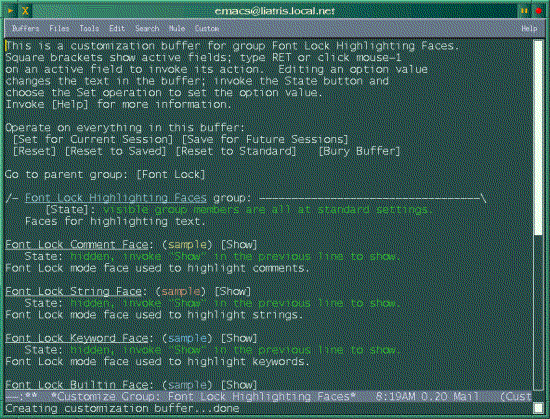
Musings
Copyright © 1997, Larry Ayers
Published in Issue 22 of the Linux Gazette, October 1997
"Linux Gazette...making Linux just a little more fun!"
A True "Notebook" Computer?
by Larry Ayers
Introduction
Briefly, I started keeping notes on-line shortly after I got a
portable computer in January, 1994. After a month-and-a-half of
notes, I realized that one does not live by grep alone, so I started
adding indexing facilities.
In June of 1995 some other Ficus-project members started keeping
and indexing on-line notes using other home-grown systems. After some
discussion, we generalized my notes-mode work and they started using
it.
Over the next 18 months notes-mode grew. Finally, in April, 1996 I
wrote documentation, guaranteeing that innovation on notes-mode will
now cease or the documentation will become out of date.
Using Notes-Mode
25-Jul-97 Friday
----------------

* Today
-------
prev: <file:///~/notes/199707/970724#* Today>
next: <file:///~/notes/199707/970728#* Today>

* Prairie Plants
----------------
prev: <file:///~/notes/199707/970724#* Prairie Plants>
next: <none>
So far the only results I've seen in response to the various
desultory efforts I've made to direct-seed prairie plants in
the west prairie:
1: Several rattlesnake-master plants in a spot
where we burned a brush-pile. Two are blooming
this summer.
2: One new-england aster near the above.
There are probably others which are small and haven't flowered
yet.
* Linux Notes
-------------
prev: <file:///~/notes/199707/970724#* Linux Notes>
next: <file:///~/notes/199708/970804#* Linux Notes>
I noticed today that a new version of e2compress was available,
and I've patched the 2.0.30 kernel source but haven't compiled it
yet.
I've been experimenting with the color-syntax-highlighting version of nedit
4.03 lately; it has a nifty dialog-box interface for creating and modifying
modes. Easier than LISP!
Control-c n, which will initialize a
new notes file for the day if the following LISP code is entered into your
~.emacs file:
(define-key global-map "^Cn" 'notes-index-todays-link).
The "^C" part is entered into the file by entering Control-q
Control-c.
Availability
http://gost.isi.edu/~johnh/SOFTWARE/NOTES_MODE/index.html
Copyright © 1997, Larry Ayers
Published in Issue 22 of the Linux Gazette, October 1997
"Linux Gazette...making Linux just a little more fun!"
By Bob Hepple
bhepple@pacific.net.sg
Contents:
$Revision: 1.2 $1. Some limitations of HTML
It's amazing how easy it is to write simple HTML pages - and
the availability of WYSIWYG HTML editors like
NETSCAPE GOLD lulls one into a mood of "don't
worry, be happy". However, managing multiple,
interrelated pages of HTML rapidly gets very, very
difficult. I recently had a slightly complex set of pages
to put together and it started me thinking - "there has
to be an easier way".
<a
href="link">text</a>
, you are given a button or a
magic keychord like ALT-CTRL-j which remembers the syntax and
does all that nasty typing for you.
"grep
|sort |awk"
pipeline).
2. Using m4
I decided to use m4 after looking at various other
pre-processors including cpp, the C
front-end. While cpp is perhaps a little too
C-specific to be very useful with HTML, m4 is a
very generic and clean macro expansion program - and it's
available under most Unices including Linux.
m4_include(stdlib.m4)
_HEADER(`This is my header')
<P>This is some plain text<P>
_HEAD1(`This is a main heading')
<P>This is some more plain text<P>
_TRAILERm4 -P <file.m4 >file.html.SUFFIXES: .m4 .html
.m4.html:
m4 -P $*.m4 >$*.html
default: index.html
*.html: stdlib.m4
all: default PROJECT1 PROJECT2
PROJECT1:
(cd project2; make all)
PROJECT2:
(cd project2; make all)
m4_include:
#include)
m4_define:
#define)
m4_ifdef:
#ifdef)
m4_changecom:
m4_debugmode:
m4_traceon/off:
m4_dnl:
m4_incr, m4_decr:
m4_eval:
m4_esyscmd:
m4_divert(i):
3. Examples of m4 macros
3.1 Sharing HTML elements across several page
[Home] [Next] [Prev] [Index]
m4_include statement, just like
C.
"button_bar.m4":
m4_define(`_BUTTON_BAR',
	<a href="homepage.html">[Home]</a>
	<a href="$1">[Next]</a>
	<a href="$2">[Prev]</a>
<a href="indexpage.html">[Index]</a>)m4_include button_bar.m4
_BUTTON_BAR(`page_after_this.html',
`page_before_this.html')3.2 Managing HTML elements that often change
stdlib.m4 file:
m4_define(`_EMAIL_ADDRESS', `MyName@foo.bar.com')_EMAIL_ADDRESS in your
m4 files.
m4_ifdef command in your stdlib.m4 file (just
like the #ifdef command in cpp):
m4_define(`_LOCAL')
.
.
m4_define(`_HOMEPAGE',
	m4_ifdef(`_LOCAL', `//127.0.0.1/~YourAccount',
		`http://ISP.com/~YourAccount'))

m4_define(`_PLUG', `<A REF="http://www.ssc.com/linux/">
	<IMG SRC="_HOMEPAGE/gif/powered.gif"
ALT="[Linux Information]"> </A>')_LOCAL from being expanded. _HOMEPAGE
takes on different values according to whether the variable
_LOCAL is defined or not. This can then ripple
through the entire project as you make the pages.
_PLUG is a macro to advertise
Linux. When you are testing your pages, you use the
local version of _HOMEPAGE. When you are ready to
upload, you can remove or comment out the _LOCAL
definition like this:
m4_dnl m4_define(`_LOCAL')3.3 Creating new text styles
Styles built into HTML include things like <EM> for emphasis and <CITE> for citations. With m4 you can define your own, new styles like this:
m4_define(`_MYQUOTE',
<BLOCKQUOTE><EM>$1</EM></BLOCKQUOTE>)<STRONG> instead
of <EM> it is a simple matter to change the
definition and then every _MYQUOTE paragraph falls
into line with a quick make.
<EM>...</EM> rather than the physical
styles such as <I>...</I> in your documents."
Curiously, the WYSIWYG editors for HTML generate purely
physical styles. Using these m4 styles may be a good
way to keep on using logical styles.
<BLOCKQUOTE><PRE><CODE>Some code you want to display.
</CODE></PRE></BLOCKQUOTE>_CODE(Some code you want to display.)_CODE like this:
m4_define(`_CODE',
<BLOCKQUOTE><PRE><CODE>$1</CODE></PRE></BLOCKQUOTE>)m4_define(`_LINK', <a href="$1">$2</a>)<a href="URL_TO_SOMEWHERE">Click here to get to SOMEWHERE </a> _LINK(`URL_TO_SOMEWHERE', `Click here to get to SOMEWHERE')
m4_incr and m4_decr which act as you might
expect - this can be used to create automatic numbering,
perhaps for headings, e.g.:
m4_define(_CARDINAL,0)

m4_define(_H, `m4_define(`_CARDINAL',
	m4_incr(_CARDINAL))<H2>_CARDINAL.0 $1</H2>')

_H(First Heading)
_H(Second Heading)<H2>1.0 First Heading</H2>
<H2>2.0 Second Heading</H2>3.6 Automatic date stamping
For simple, datestamping of HTML pages I use the
m4_esyscmd command to maintain an automatic
timestamp on every page:
This page was updated on m4_esyscmd(date)$Date: 2002/10/09 22:24:22 $.
3.7 Generating Tables of Contents
3.7.1 Simple to understand TOC
stdlib.m4:
m4_define(`_LINK_TO_LABEL', <A HREF="#$1">$1</A>)
m4_define(`_SECTION_HEADER', <A NAME="$1"><H2>$1</H2></A>)m4_define(`_DIFFICULTIES', `The difficulties of HTML')
m4_define(`_USING_M4', `Using <EM>m4</EM>')
m4_define(`_SHARING', `Sharing HTML Elements Across Several Pages')<UL><P>
<LI> _LINK_TO_LABEL(_DIFFICULTIES)
<LI> _LINK_TO_LABEL(_USING_M4)
<LI> _LINK_TO_LABEL(_SHARING)
<UL>.
.
_SECTION_HEADER(_DIFFICULTIES)
.
.
Start_TOC
_H1(`Heading for level 1') or _H2(`Heading for level 2') as appropriate.
End_TOC
m4_define(_Start_TOC,`<UL><P>m4_divert(-1)
  m4_define(`_H1_num',0)
  m4_define(`_H2_num',0)
  m4_define(`_H3_num',0)
  m4_define(`_H4_num',0)
  m4_divert(1)')

m4_define(_H1, `m4_divert(-1)
  m4_define(`_H1_num',m4_incr(_H1_num))
  m4_define(`_H2_num',0)
  m4_define(`_H3_num',0)
  m4_define(`_H4_num',0)
  m4_define(`_TOC_label',`_H1_num. $1')
  m4_divert(0)<LI><A HREF="#_TOC_label">_TOC_label</A>
  m4_divert(1)<A NAME="_TOC_label">
	<H2>_TOC_label</H2></A>')
.
.
[definitions for _H2, _H3 and _H4 are similar and are
in the downloadable version of stdlib.m4]
.
.

m4_define(_End_TOC,`m4_divert(0)</UL><P>')<CENTER>
_Start_Table(BORDER=5)
_Table_Hdr(,Apples, Oranges, Lemons)
_Table_Row(England,100,250,300)
_Table_Row(France,200,500,100)
_Table_Row(Germany,500,50,90)
_Table_Row(Spain,,23,2444)
_Table_Row(Denmark,,,20)
_End_Table
</CENTER>
Apples Oranges Lemons England 100 250 300 France 200 500 100 Germany 500 50 90 Spain 23 2444 Denmark 20 m4_dnl _Start_Table(Columns,TABLE parameters)
m4_dnl defaults are BORDER=1 CELLPADDING="1" CELLSPACING="1"
m4_dnl WIDTH="n" pixels or "n%" of screen width
m4_define(_Start_Table,`<TABLE $1>')
m4_define(`_Table_Hdr_Item', `<th>$1</th>
m4_ifelse($#,1,,`_Table_Hdr_Item(m4_shift($@))')')
m4_define(`_Table_Row_Item', `<td>$1</td>
m4_ifelse($#,1,,`_Table_Row_Item(m4_shift($@))')')
m4_define(`_Table_Hdr',`<tr>_Table_Hdr_Item($@)</tr>')
m4_define(`_Table_Row',`<tr>_Table_Row_Item($@)</tr>')
m4_define(`_End_Table',</TABLE>)_HEAD1(`This is a heading')_CODE(foo, bar) would print the
foo but not the bar. _CODE(`foo,
bar') works properly.
4.2 Gotcha 2 - Word swallowing
Smart people `include' Linux in their list
of computer essentials.-P or
--prefix-builtins option. Then, all builtin macro
names are modified so they all start with the prefix
m4_ and ordinary words are left alone. For example,
using this option, one should write m4_define instead
of define (as shown in the examples in this
article).
m4_changecom(`[[[[') and not have to
worry about `#' symbols in your text.
m4_dnl (dnl = Delete to New Line) is for you. This suppresses everything
until the next newline.
m4_define(_NEWMACRO, `foo bar') m4_dnl This is a commentm4_divert command. The main purpose of
m4_divert is to save text in a temporary buffer for
inclusion in the file later on - for example, in building a
table of contents or index. However, if you divert to "-1"
it just goes to limbo-land. This is useful for getting rid
of the whitespace generated by the m4_define
command, e.g.:
m4_divert(-1) diversion on
m4_define(this ...)
m4_define(that ...)
m4_divert diversion turned offm4_debugmode(e)
m4_traceon
.
.
buggy lines
.
.
m4_traceoff5. Conclusion
"ah ha!", I hear you say. "HTML 3.0 already has an include
statement". Yes it has, and it looks like this:
<!--#include file="junk.html" -->
stdlib.m4 for
general use with nice macros for general text processing and
HTML functions. By all means download my version of
stdlib.m4 as a base for your own hacking. I would be
interested in hearing of useful macros and if there is
enough interest, maybe a Mini-HOWTO could evolve from this
paper.
6. Files to download
You can get the HTML and the m4 source code for this
article here (for the sake of completeness, they're
copylefted under GPL 2):
using_m4.html	:this file
using_m4.m4	:m4 source
stdlib.m4	:Include file
makefile
Copyright © 1997, Bob Hepple
Published in Issue 22 of the Linux Gazette, October 1997





 The Weekend Mechanic will be back next month
 The Mailbag!